Logitek mixIT Audio Console System/JET67 Manual
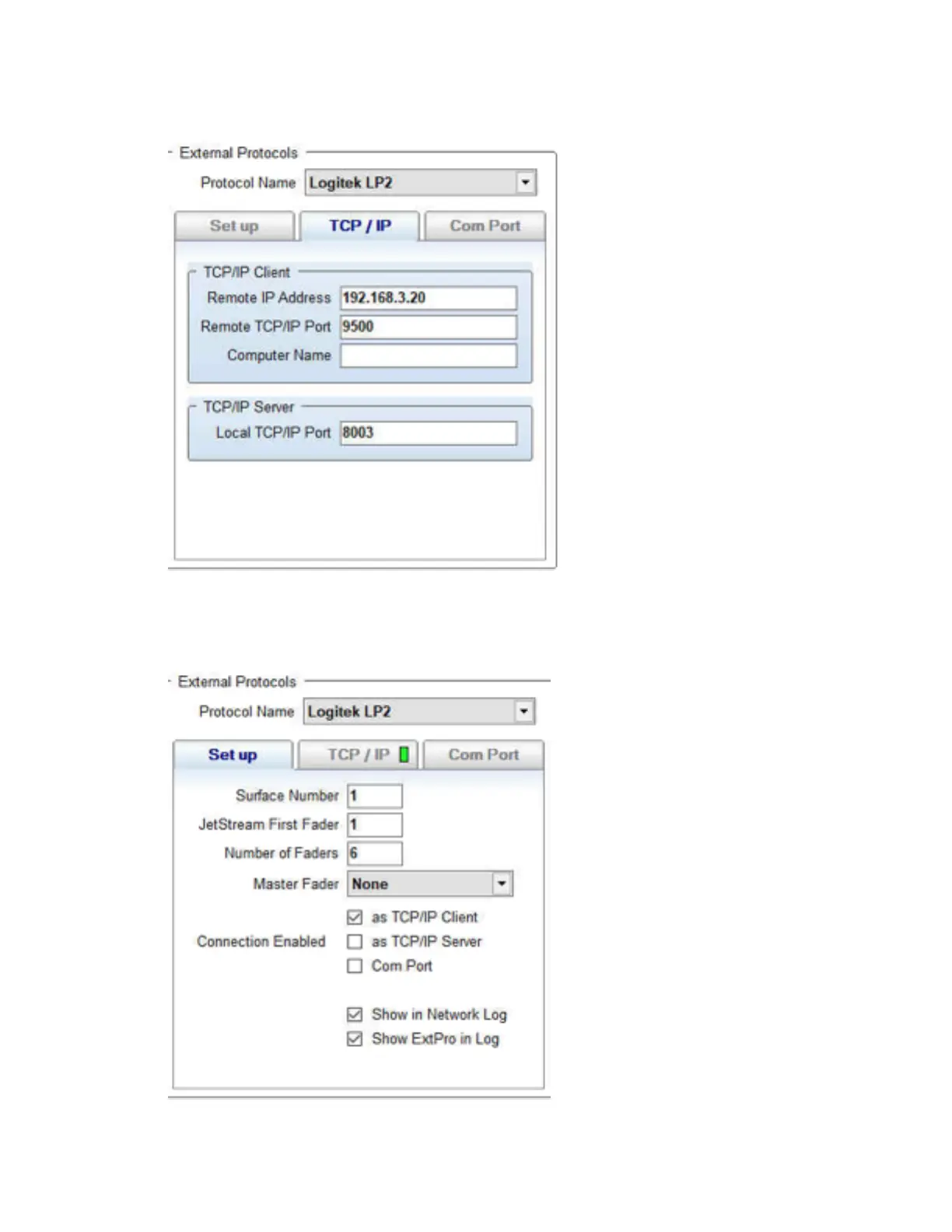
9. Click on the TCP/IP tab.
Figure 7 - JetStream Server, External Protocols, TCP/IP tab
10. Under TCP/IP client, type the IP Address of the JET67 from step 4 in the Remote IP
Address field. Set the Remote TCP/IP port to 9500
11. Return to the Set up tab.
Figure 8 - JetStream Server, External Protocols, Set up tab



 To Next Page