Logitek mixIT Audio Console System/JET67 Manual
Fader Operation
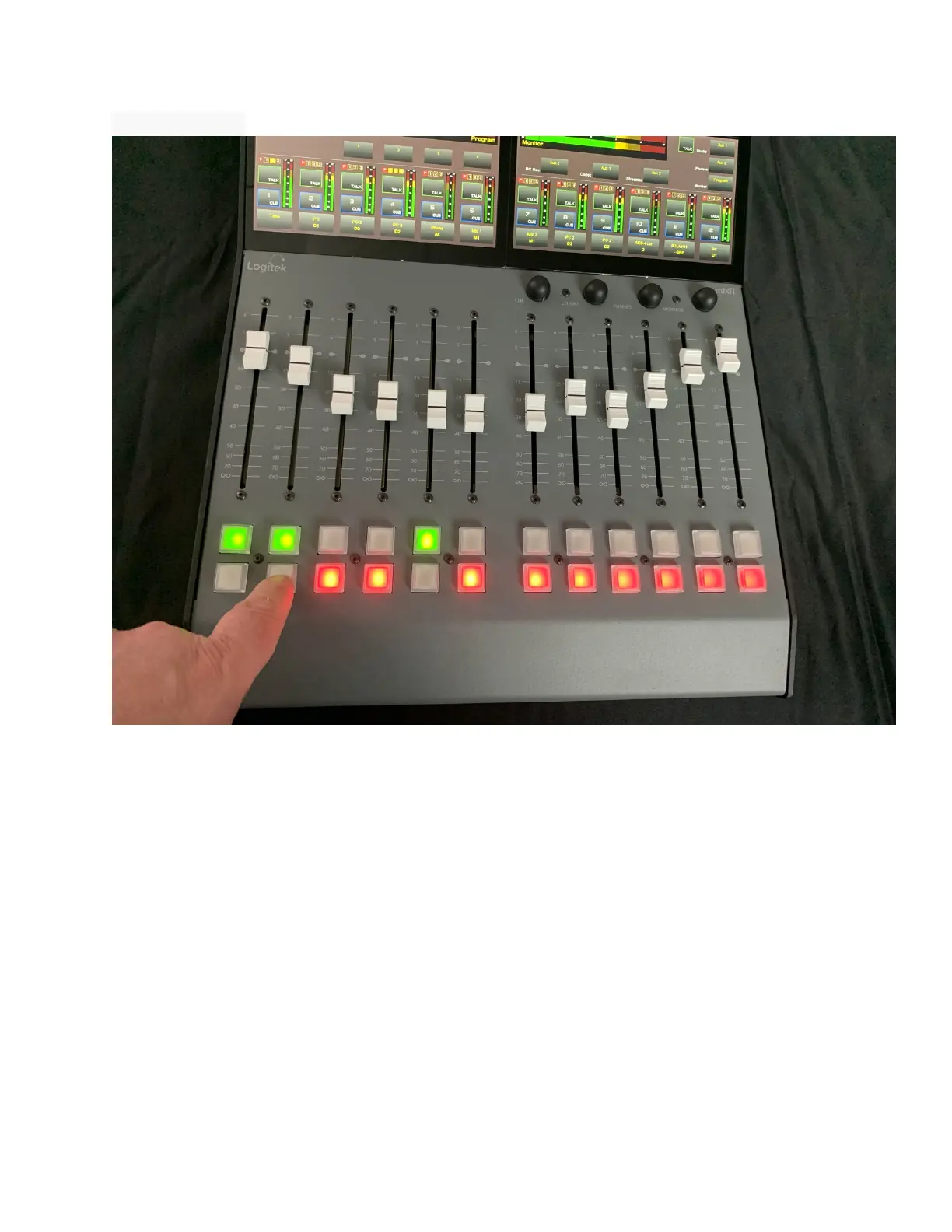
To raise the audio level of a source, move the fader up.
To decrease the audio level of a source, move the fader down.
The dashes silkscreened on the panel marked “0” represents unity gain. This is the
normal level for most sources. At this setting, there is still 10 dB of gain available on
the fader if needed.
To turn a channel on, press the top push button under the fader. The on button will
glow green.
To turn a channel off, press the lower push button under the fader. The off button
will glow red.



 To Next Page