Logitek mixIT Audio Console System/JET67 Manual
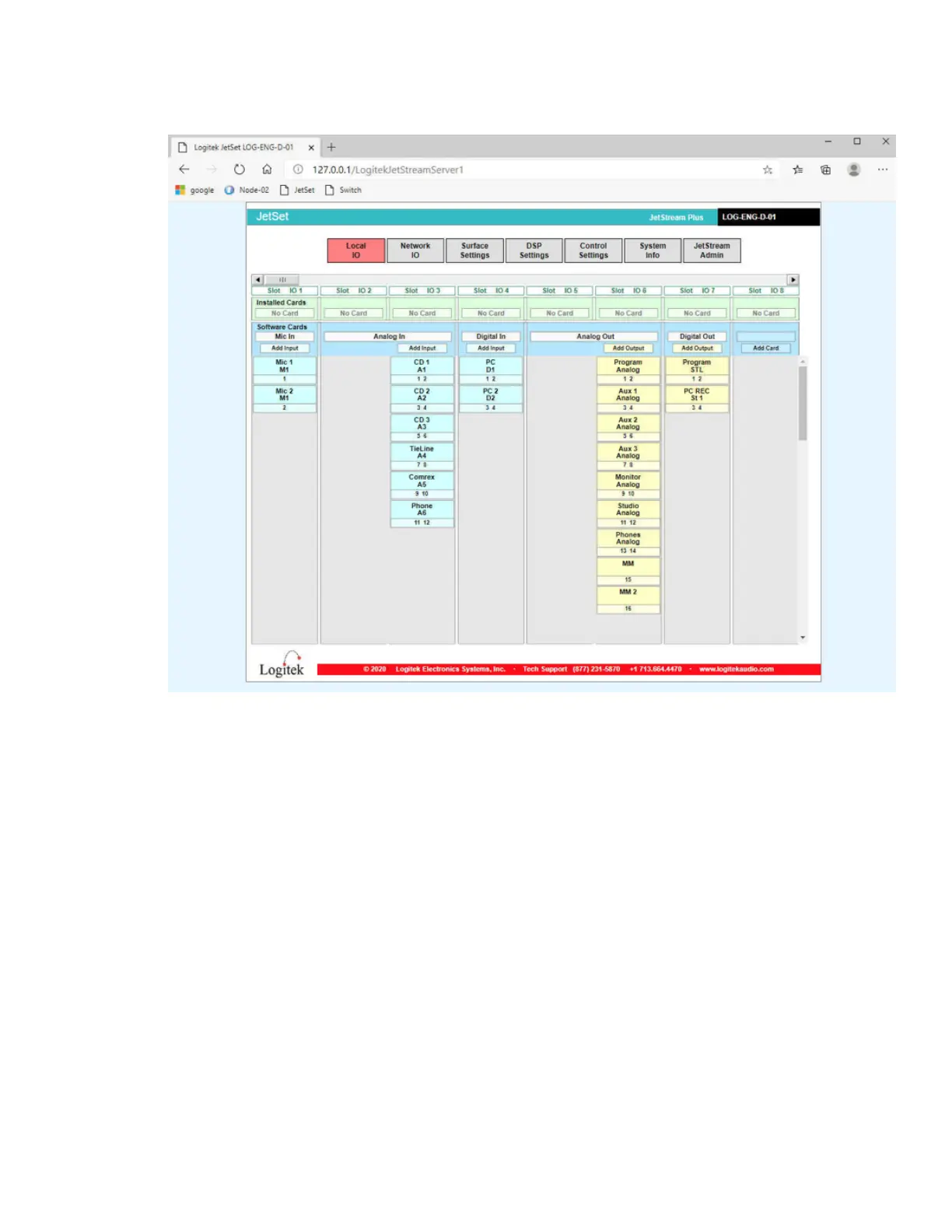
16. You will be on the Local IO Page.
Figure 10 - The Local IO page
The first column is the microphone inputs. The second is the analog inputs. The third is
the digital inputs. The fourth is the analog outputs. The fifth is the digital outputs.
To add an input or output, click the ‘Add Input’ or ‘Add Outpu’ button over the
respective column. To edit an input or output, click on the box for the desired input or
output.



 To Next Page