Logitek mixIT Audio Console System/JET67 Manual
operator.
Phones PF – pre-fader output of the headphone monitor. Often used to feed guest
headphone amps with individual volume controls. The audio will follow what the
operator selects in the headphone monitor input, but the volume knob will be ignored.
This way the board operator who is listening to Phones Out can turn the volume up and
down without disturbing the guest.
Monitor Out – the control room monitor output. This corresponds to the Monitor
volume knob on the console.
MM 1 – MM 24 – Mix Minus outputs 1-24. See the Mix Minus section under DSP
Settings to learn how to configure mix minuses.
Mixer A Out – This is a three channel submixer that sums the source routed to MixA1,
MixA2, and MixA3 on the Surface Settings page. Commonly used to sum together
microphones for telephone feeds, it’s a lot easier to tick 3 boxes on a web page than
bury a Shure mic mixer under the console like we all used to do to feed the phone!
Mono PGM – the program bus, summed to mono
Mono Ax1 – the Aux 1 bus, summed to mono
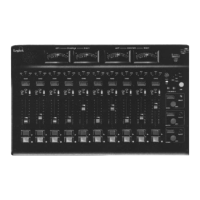
Router 1 Out – the output to Router 1, the left widget on the mixIT fader display.
Router 2 Out – the output to Router 2, the middle router widget on the mixIT fader
display
Router 3 Out – the output to Router 3, the right router widget on the mixIT fader display
5. Click Upload to JetStream to save. Click the Cancel Edit Change button to exit without
saving. Click Delete this output to remove the output from the network.
The Available Sources column on this page does NOT have a function on the
JET67.
If you route a stereo mix to a mono output, the JET67 will send left channel
only.



 To Next Page