EasyManua.ls Logo

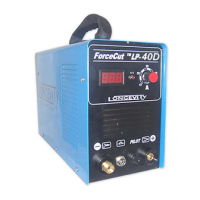
Longevity ForceCut LP-100 - User Manual

Longevity ForceCut LP-100
37 pages
Print Icon
To Next Page IconTo Next Page
Loading...
Operating Manual
for
LP-40/50/60D
and
LP-70/80/100
Plasma Cutters

Questions and Answers

  • K
    Kimberly DavisAug 17, 2025
    What to do if O.C. Over Current LED Lights are on in my Longevity Welding System?
    • S
      steven81Aug 17, 2025
      If the O.C. (Over Current) LED lights are illuminated on your Longevity Welding System, it signifies that the unit has reached its duty cycle. To resolve this, leave the machine's power on and allow the fans to cool it down. Alternatively, you can turn the machine off to facilitate cooling. It's crucial to wait until the light turns off before resuming welding operations.
  • K
    Kenneth RobersonAug 19, 2025
    How to improve poor cut quality on Longevity ForceCut LP-100 Welding System?
    • J
      Jose SteinAug 20, 2025
      To troubleshoot poor cut quality with your Longevity Welding System, start by checking the air pressure. Ensure your unit is capable of cutting the material thickness you're working with. Inspect the consumables to confirm they are producing a stable arc. Replace the consumables and ensure you have the correct PSI at the regulator.
  • E
    Eric WellsAug 22, 2025
    Why is the arc inconsistent on my Longevity ForceCut LP-100?
    • B
      Bryan CarrilloAug 23, 2025
      If you're experiencing an inconsistent arc with your Longevity Welding System, it could be due to improper grounding or insufficient air pressure. Check and replace the consumables, and adjust the regulator to the proper PSI to resolve this issue.
  • J
    Jeffrey PetersonAug 26, 2025
    What to do if there is heavy underside slag (cutting) with Longevity ForceCut LP-100?
    • C
      Cynthia AlvarezAug 26, 2025
      If you're experiencing heavy underside slag when cutting with your Longevity Welding System, it's likely due to a slow travel speed. Increase your travel speed or the amperage on the unit to mitigate this issue.
  • A
    Anne BassAug 28, 2025
    Why are consumables (tips) being consumed so quickly on my Longevity ForceCut LP-100?
    • K
      Karen AdamsAug 28, 2025
      If the consumables (tips) on your Longevity Welding System are being consumed rapidly, it may be due to improper airflow. Increase the PSI on the regulator, check for leaks in the hose, and maintain a distance of 1/8” from the torch tip to the workpiece. If your unit has a manual Post Flow 2.5 or 5.0 switch, ensure it is set to 5.0 to allow more air to pass, cooling the torch tips.
  • D
    Daniel HarringtonAug 31, 2025
    What to do if my Longevity ForceCut LP-100 runs, but nothing is happening?
    • M
      Matthew DiazAug 31, 2025
      If your Longevity Welding System runs but nothing is happening, check the following: 1. Ensure the air regulator is set to the correct pressure by turning the adjustment knob clockwise to allow pressure. 2. Verify the consumables are properly assembled. 3. Check the ground clamp for proper grounding to the unit.
  • M
    michaelwilliamsSep 2, 2025
    How to fix a Longevity ForceCut LP-100 Welding System that will not turn on?
    • B
      Brian StaffordSep 2, 2025
      If your Longevity Welding System will not turn on, check the cords and breaker. If the issue persists, contact LONGEVITY.
  • W
    Wendy WalkerSep 5, 2025
    What to do if the Longevity ForceCut LP-100 Welding System arc does not start when the torch button is pushed?
    • P
      Paul BryantSep 5, 2025
      If the arc does not start when you push the torch button, check the input voltage and adjust the air compressor pressure. The possible causes are low input voltage or air compressor pressure being either too low or too high.
  • Z
    zbuchananSep 8, 2025
    What to do if the Longevity ForceCut LP-100 Welding System power switch is ON, the fan operates, pushing the cut button on the torch allows air to pass, but the arc does not start and the Error LED illuminates?
    • T
      Tammy PachecoSep 8, 2025
      If the power switch is ON, the fan operates, pushing the cut button on the torch allows air to pass, but the arc does not start and the Error LED illuminates, inspect and replace any damaged components. Possible causes include a damaged K1170 on the top PCB, a damaged step-up transformer, a damaged control board, or loose connector wires.
  • C
    cassandra57Sep 12, 2025
    What to do if the Longevity ForceCut LP-100 power switch is ON, the fan operates, pushing the cut button on the torch allows air to pass, but the arc does not start and the Error LED does not illuminate?
    • E
      Evan HallSep 12, 2025
      If the power switch is ON, the fan operates, pushing the cut button on the torch allows air to pass, but the arc does not start and the Error LED does not illuminate, tighten the consumables and check for any shorted or damaged components. This issue may arise due to improperly installed torch consumables, a shorted or incorrectly connected primary coil of the arc-leading transformer, a damaged rectifier diode, a leaking HF capacitor, or a damaged relay.

Longevity ForceCut LP-100 Specifications

General IconGeneral
BrandLongevity
ModelForceCut LP-100
CategoryWelding System
LanguageEnglish

Related product manuals