8
4. Fluid
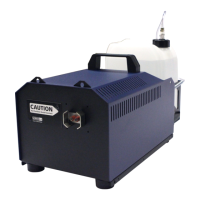
5. Operating the Viper nt
The Viper nt has been designed to be used with Look fog fluids. If other fluid is
used, the safety of the fog can‘t be guaranteed.
The following Look fog fluids are available:
Quick-Fog thick, quick disappearing fog fluid
Regular-Fog thick, long lasting fog fluid
Slow-Fog thick, extremely long lasting fog fluid
If fluids have been used other than Look fog fluids we can‘t grant warranty on
parts that have been in contact with the fluid.
4.2 Changing the fluid container
– Disconnect the fluid tube from the lid by retracting the brass collar [10] and
removing the coupling [9].
– Remove the container from the tank housing of the Viper nt.
– Unscrew the lid [11] of the empty container and screw it onto the new container.
– Place the full container into the tank housing.
– Push the brass coupling [9] into the brass collar [10] until you hear a click.The
brass collar is now locked firmly.
4.1 General Notes
5.1 Selecting the location
The location in which the Viper nt is to be operated must
– be dry,
– be free from dusty or polluted air,
– be free from vibrations,
– be an non-flammable place or surface,
– be well-ventilated with fog-free air keeping the ambient operating temperature
between 40° F and 115° F and the relative air humidity below 80%.


 To Next Page