EasyManua.ls Logo

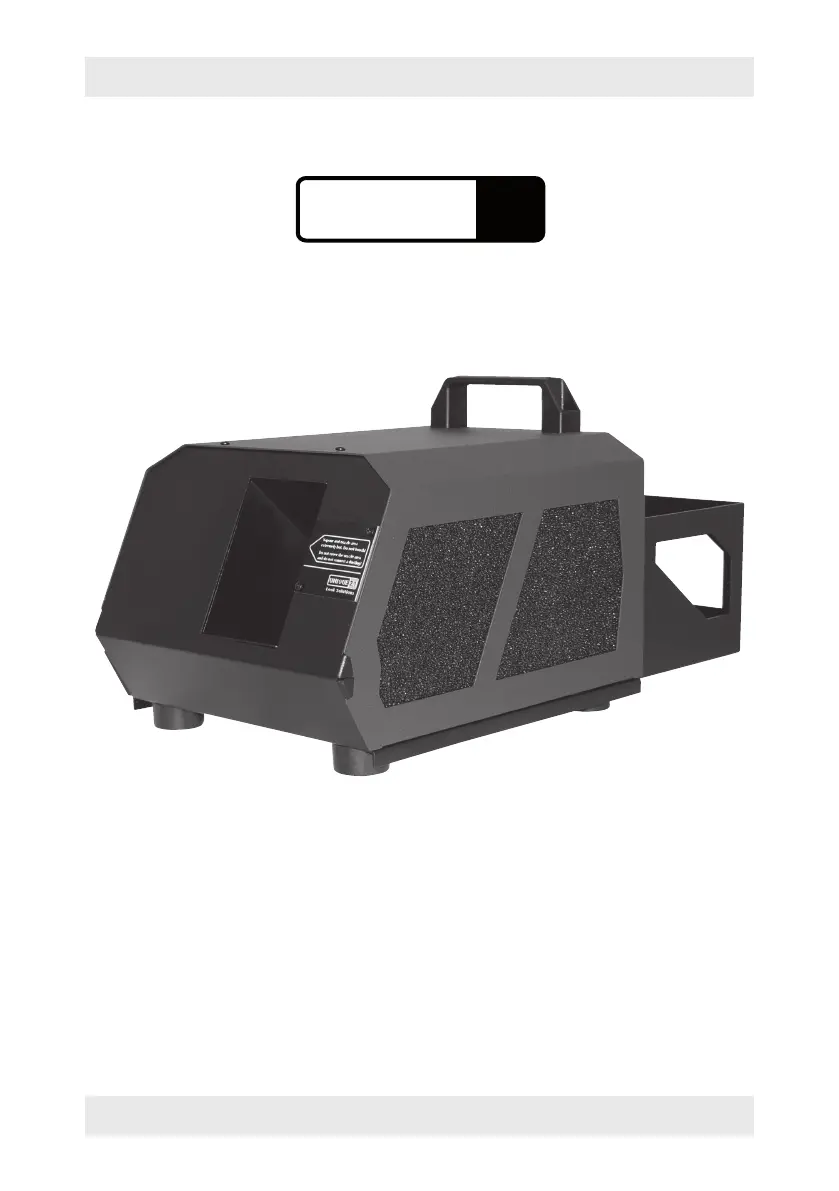
Look Solutions Unique 2.1 - User Manual

Look Solutions Unique 2.1
20 pages
Print Icon
To Next Page IconTo Next Page
Loading...
1
Operating manual
a Look Solutions product
UNIQUE 2.1
USA

Questions and Answers

  • C
    Carol BryantAug 1, 2025
    What to do if E-4 appears on the LED display of my Look Solutions Fog Machine?
    • S
      Samantha PetersonAug 2, 2025
      If the LED display of your Look Solutions Fog Machine shows 'E-4', it means the machine is overheating. To resolve this, disconnect the machine from the power supply briefly and then reconnect it.
  • T
    thomas08Aug 10, 2025
    How to fix a Look Solutions Unique 2.1 when the pump runs but no haze is produced?
    • K
      Kelly GuzmanAug 11, 2025
      If your Look Solutions Fog Machine pump is running but producing little to no haze, it could be due to the pump not sucking enough fluid. Here are a few things to check: * Make sure the canister isn't empty. * Ensure the brass collar is properly connected to the brass coupling. * Check if the fluid filter in the canister is clogged. * Inspect the fluid tube for any twists or defects.
  • R
    ramirezmartinAug 22, 2025
    Why is the yellow LED not lighting up on my Look Solutions Unique 2.1 Fog Machine when using DMX?
    • B
      blangAug 22, 2025
      If the yellow LED on your Look Solutions Fog Machine isn't lighting up when running via DMX, the connection to the desk might be faulty. Check if the plug is correctly inserted, ensure the cable isn't defective, and verify that the DMX start address is correctly adjusted.

Summary

Operating Manual - Unique 2.1

Set of Equipment Supplied

Product Introduction

Safety Instructions and Precautions

Product Parts Description

Fluid Handling and Storage

General Fluid Notes

Provides general information and recommendations for fluid usage.

Changing the Fluid Bottle

Step-by-step guide for replacing the fluid container.

Fluid Storage Guidelines

Instructions on how to properly store the fluid.

Operating the Unique 2.1 Haze Machine

Selecting the Location

Guidelines for choosing an optimal operating location for the machine.

Putting into Operation

Instructions on how to start and initially operate the haze machine.

Switching the Device Off

Procedure for safely shutting down the haze machine.

DMX 512 Control

Connect and operate via DMX 512, including start address and output adjustments.

0-10 Volt (+) DC Control

Control via 0-10V analog signal, including pump and fan output adjustments.

Stand Alone Mode Operation

Adjust pump and fan output directly on the machine in Stand alone mode.

Haze-Density Control System (HDCS)

Program individual profiles with different levels and run-times using HDCS.

Internal Timer Operation

Configure haze time, wait time, pump, and fan using the internal timer.

Wiring of the Sockets

Wiring details for DMX (5-pin XLR) and analog (3-pin XLR) sockets.

Cleaning, Care, and Maintenance

Troubleshooting Common Issues

Technical Specifications

Warranty Conditions and Service

Look Solutions Unique 2.1 Specifications

General IconGeneral
TypeFog Machine
DMX Channels1
ControlManual, DMX
Dimensions210 x 210 mm
Operating voltage230 V

Related product manuals