GB
Functional description
Operation
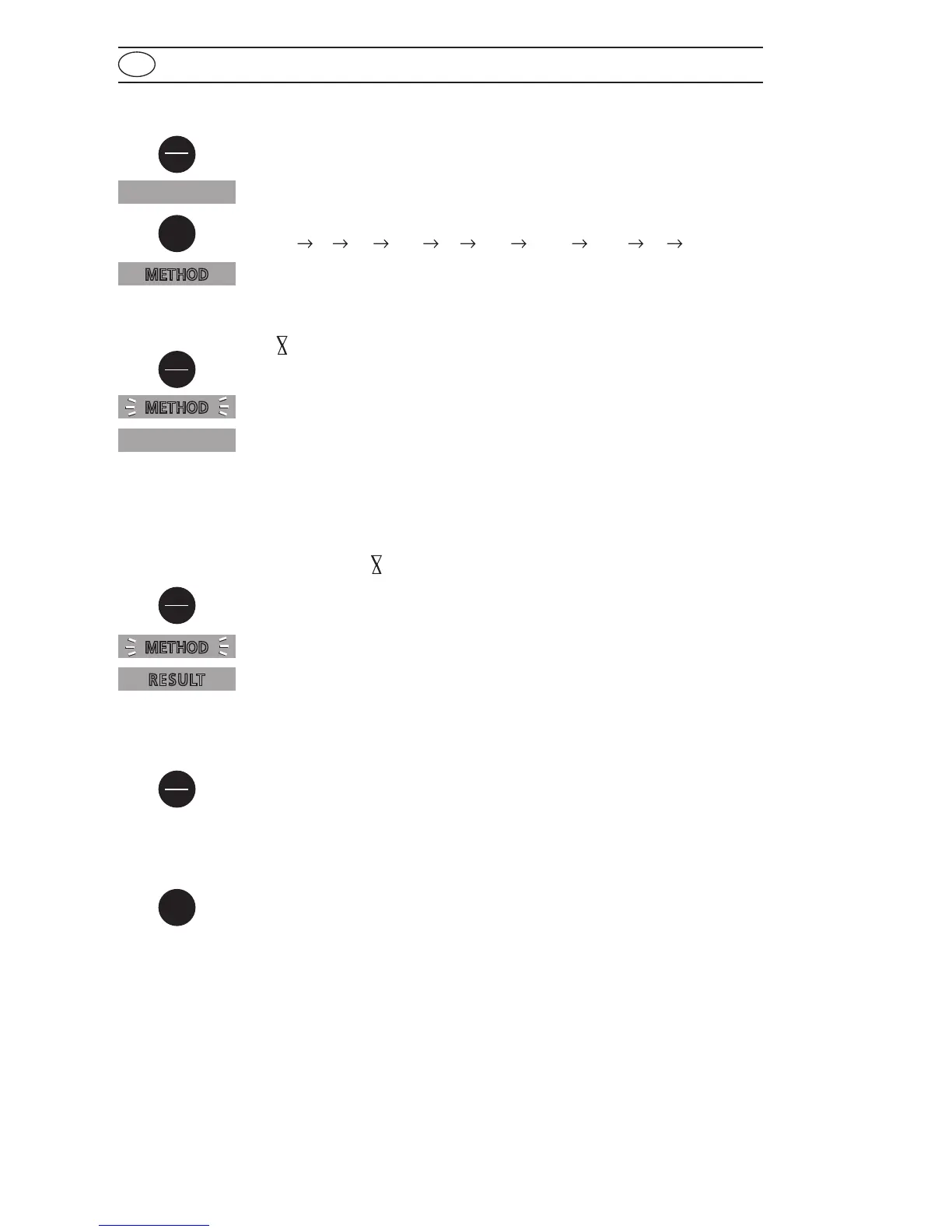
Switch the unit on using the [ON/OFF] key.
The display shows the following:
Select the required test using the [MODE] key:
CL
Br pH CyA tA CaH Abs1 Abs2 CL ..... (Scroll)
The display shows the following:
Fill a clean vial with the water sample up to the 10 ml mark, screw the
cap on and place the vial in the sample chamber making sure that the
marks are aligned.
Press the [ZERO/TEST] key.
The "Method" symbol flashes for approx. 8 seconds.
The display shows the following:
After zero calibration is completed, remove the vial from the sample
chamber. The characteristic coloration appears after the addition of
the reagents.
Replace the cap on the vial and place in the sample chamber making
sure that the
marks are aligned.
Press the [ZERO/TEST] key.
(For Countdown/reaction period see page 27)
The "Method" symbol flashes for approx. 3 seconds.
The result appears in the display.
The result is saved automatically.
Repeating the test:
Press the [ZERO/TEST] key again.
New zero calibration:
Press the [MODE] key until the desired "Method" symbol appears in
the display again.
METHOD
METHOD
METHOD
RESULT
CL
On
Off
Mode
Mode
Zero
Test
Zero
Test
Zero
Test
0.0.0










 To Next Page