GB
Calibration Mode
CAL
RESULT
+ x
CAL
4
User calibration
Note
:
user calibration (Display in calibration mode)
factory calibration (Display in calibration mode)
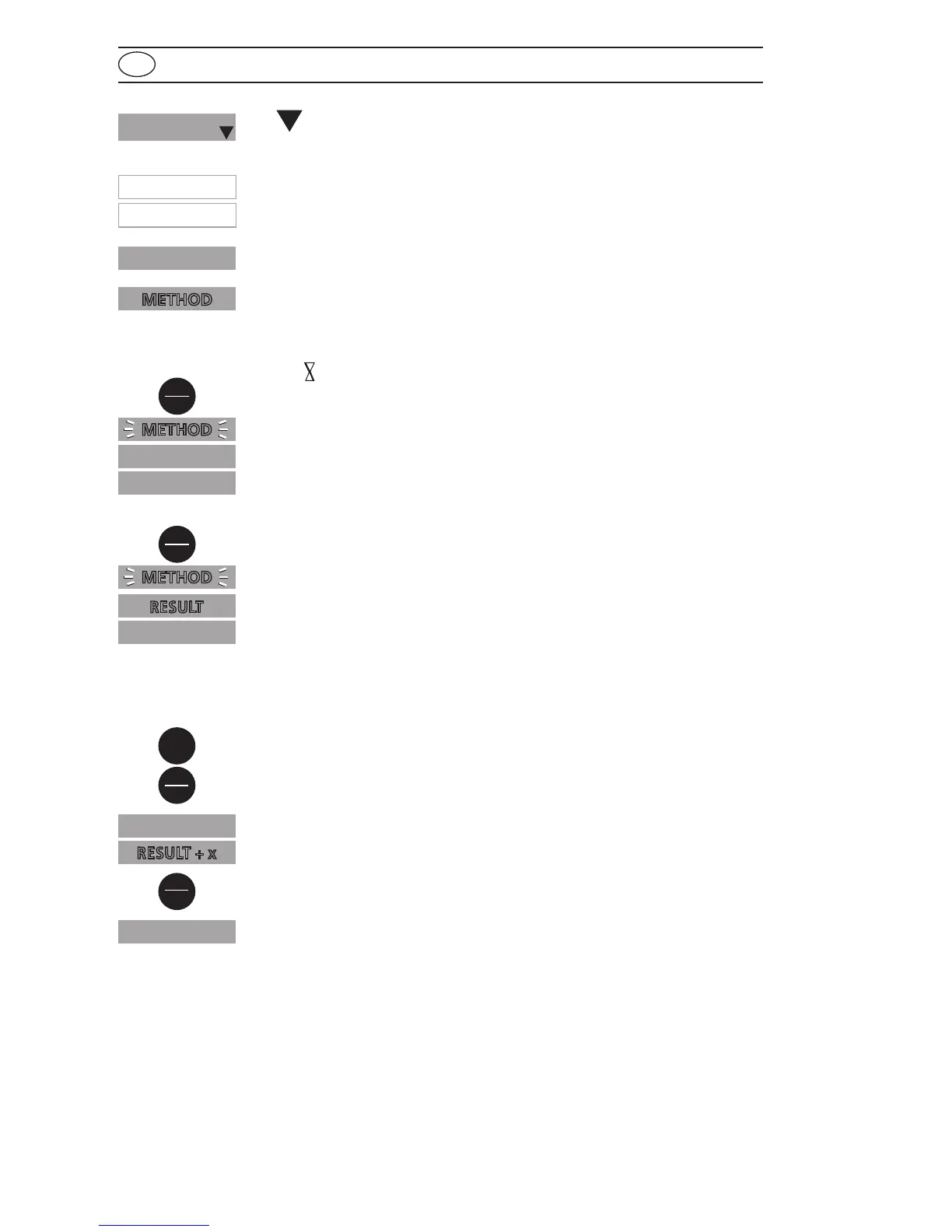
After confirming the selection with the [MODE] key the instrument
will show CAL/“Method”.
Scroll through methods using the [MODE] key.
Fill a clean vial with the standard up to the 10 ml mark, screw the
cap on and place the vial in the sample chamber making sure that
the
marks are aligned.
Press the [ZERO/TEST] key.
The method symbol flashes for approx. 8 seconds.
The display shows the following in alternating mode:
Perform calibration with a standard of known concentration (see
"Operation").
Press the [ZERO/TEST] key.
The method symbol flashes for approx. 3 seconds.
The result is shown in the display, alternating with CAL.
If the reading corresponds with the value of the calibration standard
(within the specified tolerance), exit calibration mode by pressing the
[ON/OFF] key.
Changing the displayed value:
Pressing the [MODE] key once increases the displayed value by 1 digit.
Pressing the [ZERO/TEST] key once decreases the displayed value by
1 digit.
Press the corresponding key until the reading equals the value of the
calibration standard.
By pressing the [ON/OFF] key, the new correction factor is calculated
and stored in the user calibration software.
Confirmation of calibration (3 seconds).
Mode
On
Off
Zero
Test
: :
RESULT
CAL
METHOD
0.0.0
METHOD
CAL
CAL
cAL
Zero
Test
Zero
Test
Time Cal
Store Date
4
Cal
METHOD









 To Next Page