EasyManua.ls Logo

Lowrance HOOK-5x - User Manual

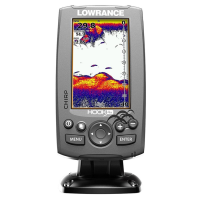
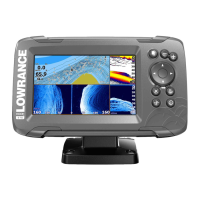
Lowrance HOOK-5x
36 pages
Print Icon
To Next Page IconTo Next Page
Loading...
lowrance.com
ENGLISH
HOOK-X Series
Operation manual
HOOK-4x HOOK-5x HOOK-7x
Question and Answer IconNeed help?

Do you have a question about the Lowrance HOOK-5x and is the answer not in the manual?

Summary

Introduction

Unit Controls

Details the functions of the LIGHT/POWER, KEYPAD, PAGES, MENU, ENTER, and ZOOM keys for unit operation.

Getting Started

Instructions for turning the unit on/off, adjusting backlight levels, and muting audio settings.

Basic Operation

Setup Wizard

Guides initial unit setup. Can be restarted by restoring defaults.

Accessing the Settings Menu

Procedure to open the main settings menu to access configuration options.

Accessing Menu Items

How to use the keypad and ENTER key to select menu items and open submenus.

Fishing Modes

Preset sonar settings geared to specific fishing conditions to enhance performance.

Sonar Operation

CHIRP Technology

Explanation of CHIRP (Compressed High Intensity Radar Pulse) for better image quality.

Sonar Adjustments

Sensitivity Control

Controls display detail level; too much can clutter, too little can hide echoes.

Sonar Frequencies and Options

Sonar Frequencies Guide

Details the benefits of different frequencies (50 kHz, 83 kHz, 200 kHz, CHIRP) for sonar use.

Sonar Display Options

Noise Rejection

Uses advanced signal processing to monitor and filter unwanted noise from the display.

Sonar Settings Management

Sonar Settings Menu

Central menu for accessing Conventional and DownScan sonar modes settings.

Manual Mode

Restricts digital depth capability to selected range; recommended for advanced users.

Installation and Calibration

Fishing Mode Settings

Enhances performance with preset sonar packages for specific fishing conditions.

Keel Offset

Compensates for distance from transducer to keel/bottom of motor for accurate depth readings.

DownScan Operation

Trackback Function

Review DownScan sonar history by moving the cursor left to reverse the screen display.

DownScan Adjustments

Range Settings

Displays the water column from surface to selected depth; auto range is preferred.

Custom Range Limits

Selects upper and lower depth limits for viewing specific sections of the water column.

DownScan Display Features

Frequency Selection

Controls transducer frequency; 800 kHz for best resolution, 455 kHz for depth penetration.

System Settings

Settings Menu

Accesses installation and configuration settings for your unit.

Language, Audio, and Alarms

Advanced Mode

Enables features and settings not available in basic mode.

Alarm Settings

Enables alarms and allows selection of alarm thresholds for shallow water and fish.

Units, NMEA, and Simulator

Alarm Types

Details alarms for shallow water conditions and fish symbol detection.

Specifications (HOOK-4 x & HOOK-5 x)

Specifications (HOOK-7 x)

Power Specifications

Covers transmit power, voltage requirement, current drain, and fuse type.

Sonar Specifications

Details max depth, available transducer frequencies, max speed, and transducer types.

Summary

Introduction

Unit Controls

Details the functions of the LIGHT/POWER, KEYPAD, PAGES, MENU, ENTER, and ZOOM keys for unit operation.

Getting Started

Instructions for turning the unit on/off, adjusting backlight levels, and muting audio settings.

Basic Operation

Setup Wizard

Guides initial unit setup. Can be restarted by restoring defaults.

Accessing the Settings Menu

Procedure to open the main settings menu to access configuration options.

Accessing Menu Items

How to use the keypad and ENTER key to select menu items and open submenus.

Fishing Modes

Preset sonar settings geared to specific fishing conditions to enhance performance.

Sonar Operation

CHIRP Technology

Explanation of CHIRP (Compressed High Intensity Radar Pulse) for better image quality.

Sonar Adjustments

Sensitivity Control

Controls display detail level; too much can clutter, too little can hide echoes.

Sonar Frequencies and Options

Sonar Frequencies Guide

Details the benefits of different frequencies (50 kHz, 83 kHz, 200 kHz, CHIRP) for sonar use.

Sonar Display Options

Noise Rejection

Uses advanced signal processing to monitor and filter unwanted noise from the display.

Sonar Settings Management

Sonar Settings Menu

Central menu for accessing Conventional and DownScan sonar modes settings.

Manual Mode

Restricts digital depth capability to selected range; recommended for advanced users.

Installation and Calibration

Fishing Mode Settings

Enhances performance with preset sonar packages for specific fishing conditions.

Keel Offset

Compensates for distance from transducer to keel/bottom of motor for accurate depth readings.

DownScan Operation

Trackback Function

Review DownScan sonar history by moving the cursor left to reverse the screen display.

DownScan Adjustments

Range Settings

Displays the water column from surface to selected depth; auto range is preferred.

Custom Range Limits

Selects upper and lower depth limits for viewing specific sections of the water column.

DownScan Display Features

Frequency Selection

Controls transducer frequency; 800 kHz for best resolution, 455 kHz for depth penetration.

System Settings

Settings Menu

Accesses installation and configuration settings for your unit.

Language, Audio, and Alarms

Advanced Mode

Enables features and settings not available in basic mode.

Alarm Settings

Enables alarms and allows selection of alarm thresholds for shallow water and fish.

Units, NMEA, and Simulator

Alarm Types

Details alarms for shallow water conditions and fish symbol detection.

Specifications (HOOK-4 x & HOOK-5 x)

Specifications (HOOK-7 x)

Power Specifications

Covers transmit power, voltage requirement, current drain, and fuse type.

Sonar Specifications

Details max depth, available transducer frequencies, max speed, and transducer types.

Lowrance HOOK-5x Specifications

General IconGeneral
Display Size5 inches
Resolution480 x 480 pixels
Frequency83/200 kHz
GPSNo
Waterproof RatingIPX7
Operating Frequency83/200 kHz
TransducerIncluded
BacklightLED
Power Supply12 V DC
Depth Capability1000 ft
Voltage12V
Operating Temperature-15°C to 55°C
Mounting TypeBracket
Display TypeTFT
Sonar TypeCHIRP
Power Output500 Watts (RMS)

Related product manuals