22
23
Sonar operation | HOOK X series
Sonar operation | HOOK X series
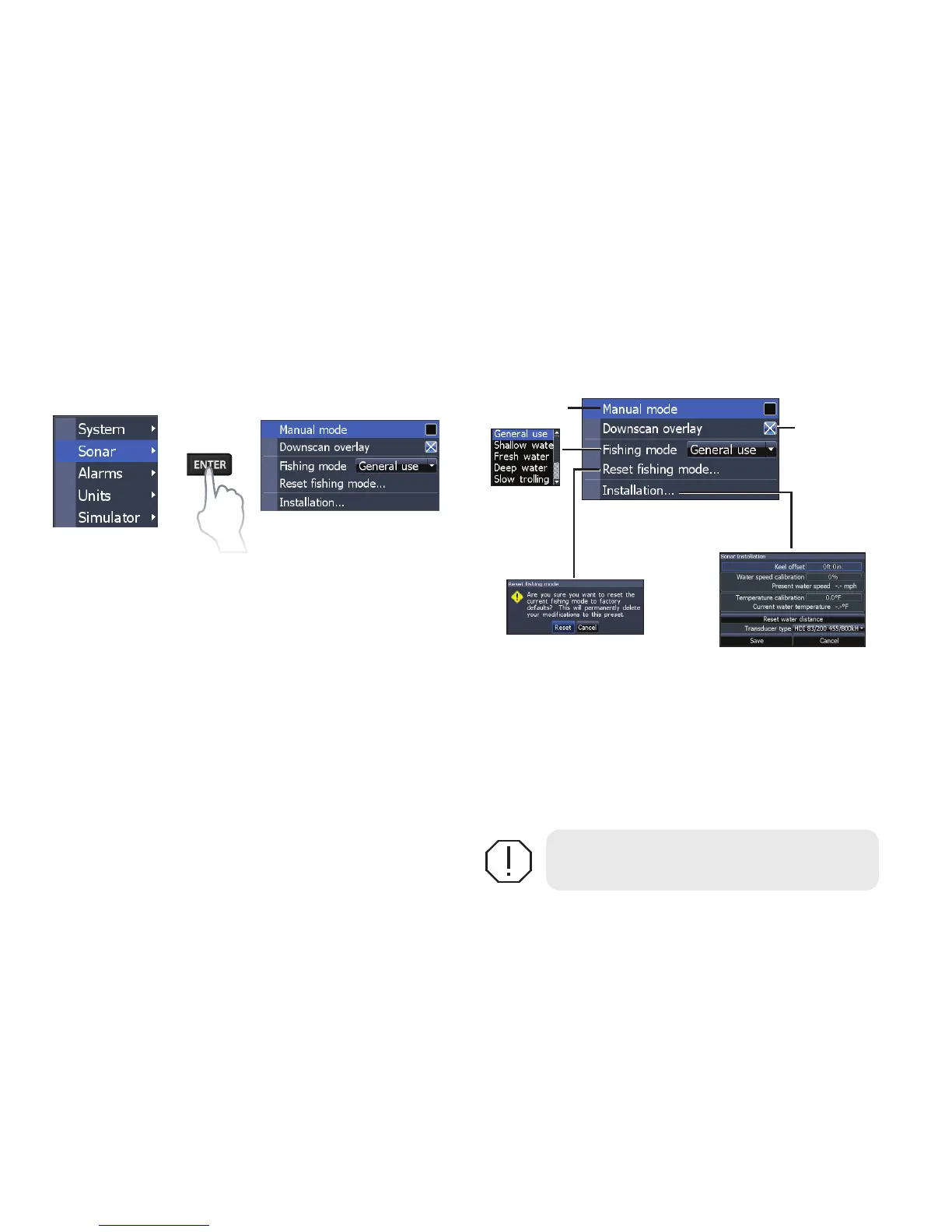
Sonar settings
Conventional settings/DownScan settings
You can adjust settings for both Conventional
sonar and DownScan sonar modes from the Sonar
Settings menu.
Only adjustments made to conventional sonar
settings will be visible on the sonar page.
WARNING: Manual mode should only
be used by advanced sonar users.
Manual mode
Restricts digital depth capability, so the unit will
only send sonar signals to the selected depth
range. That allows the display to continue smooth
scrolling if the bottom depth is out of transducer
range.
Sonar Settings Menu
Restricts
unit’s digital
depth search
capability
Turns on/off
Dowsncan
overlay
display



 To Next Page