How-To Document
Updated on:
11/13/2008
By:Christopher Ware
Page 2 of 13
3. Removing the old machine head
a. Remove the black foot from the working depth limiter.
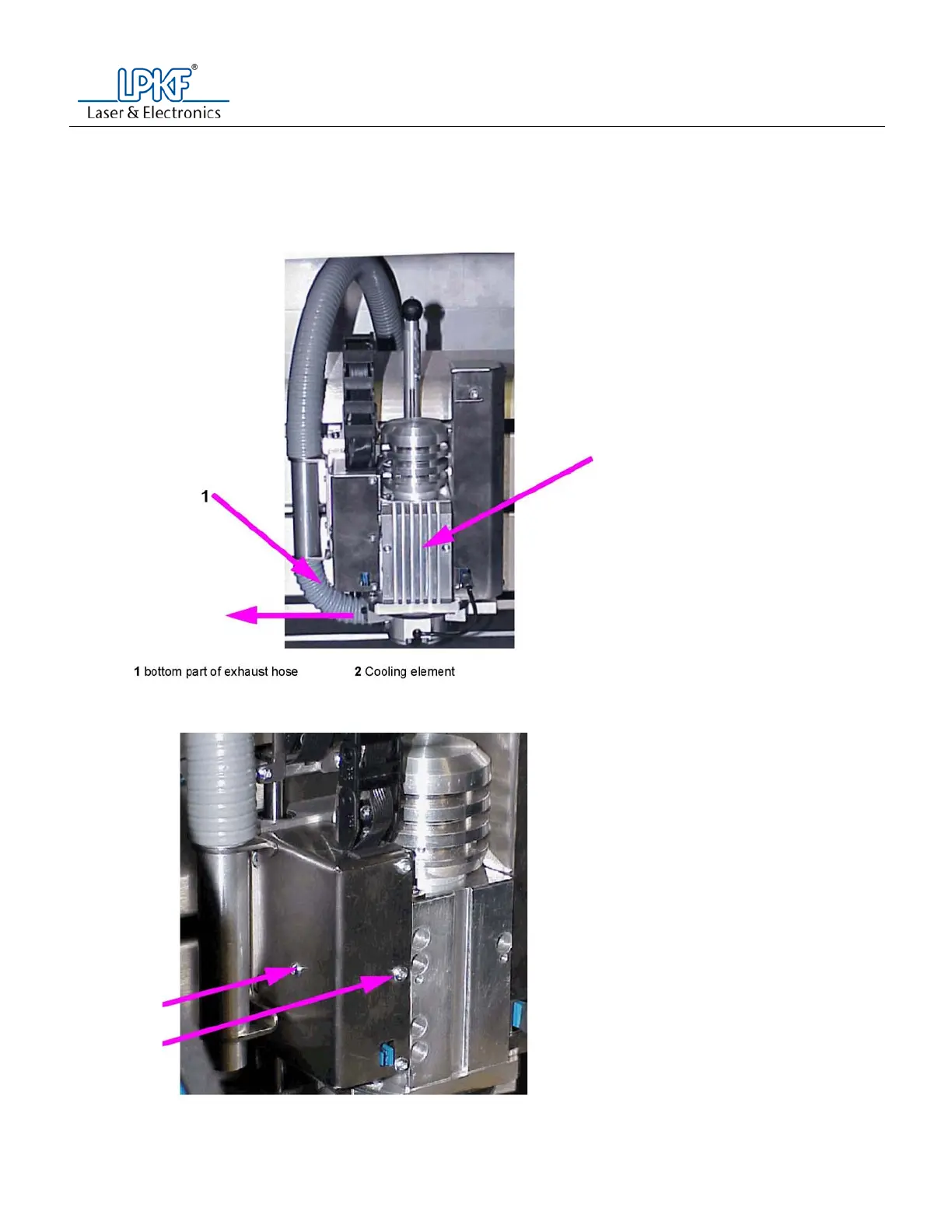
b. If there is no camera present, with the T10 torque wrench, loosen and remove the two (2) T10
torque screws holding the heat sink plate in place.
c. Pull the exhaust hose off of the working depth limiter
d. With the T10 torque wrench, loosen and remove the T10 screws that holds the cover to the spindle
control board. Only remove the center screw on the front panel and the screw on the left side
panel.
e. Remove the cover to the spindle control board.



 To Next Page