How-To Document
Updated on:
11/13/2008
By:Christopher Ware
Page 7 of 13
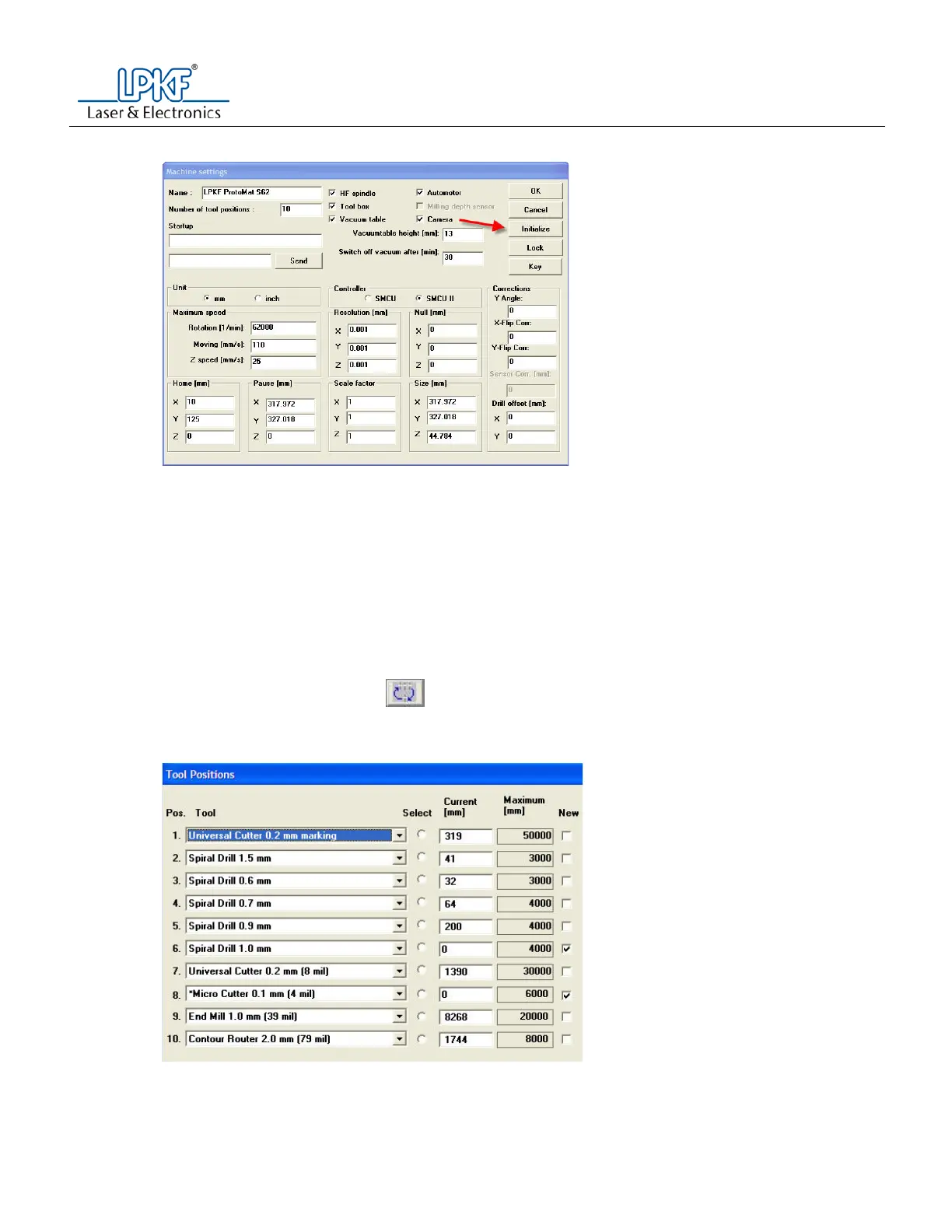
c. Press the initialize button
i. When prompted to measure the motion range, select yes.
ii. When prompted to remove the black foot from the depth limiter, press OK.
Note: the machine will measure itself along the X, Y and Z axes.
d. When prompted enter the tool status.
7. Check Z axis limits
Note: You may skip this step if you have a vacuum table.
Caution: If you do not have a vacuum table and do not complete this step, there is a possibility
of damaging the table top and/or head unit, along with breaking the drill bit located in the collet.
a. Move the machine to the pause position
b. Physically remove all tools from the tool bar.
i. Label which bits they are and set them aside.
c. Press the tool dialogue icon
i. When prompted to move to the pause position, select no or yes.
d. Change one (1) of the tool position drop down menus to the 2.95mm Special Reference Drill and
press OK.



 To Next Page