Chapter 6 - Parameter Description [I/O]
134
I/O-50: Auto (Sequence) Operation
I/O-51: Sequence Number Selection (Seq #)
I/O-52: The Number of Steps of Sequence #
There are two modes of ‘Auto-A’ and ‘Auto-B’ in Auto
mode. Auto operation is activated by the multi-function
input terminals set to [SEQ-L], [SEQ-M], [SEQ-H] and
[Go step] in I/O-12 ~ I/O-14.
This code selects the sequence to set frequency,
transient time, steady speed time and motor direction the
steps.
This code sets the number of steps to use for the
sequence number selected in I/O-51.
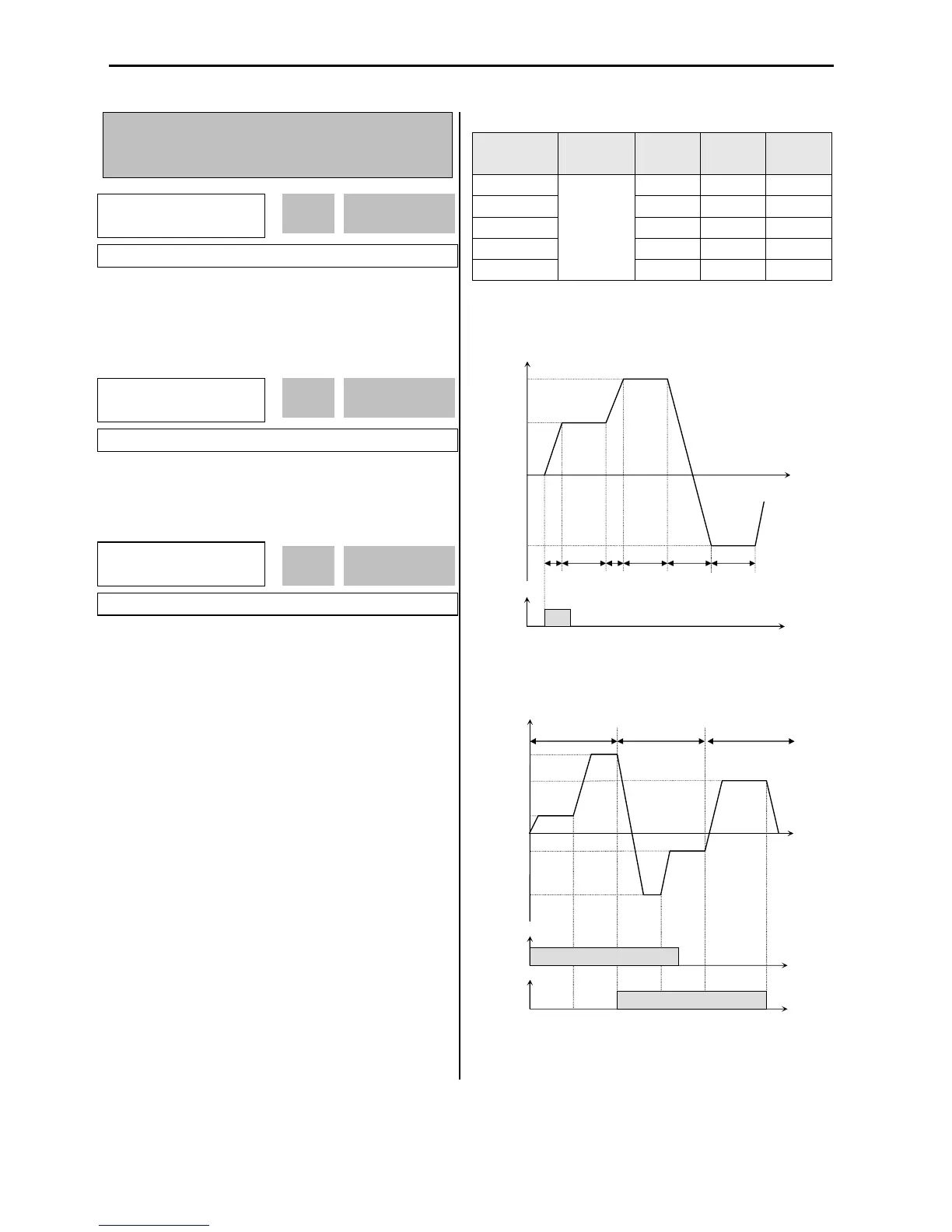
[Auto-A]
This mode will allow the inverter to operate automatically
followed by its pre-programmed sequence. According to
this sequence, eight different steps of Frequency,
Transient Time, Steady Speed time and Motor Direction
can be initiated with only a single multi-function input
contact closure (I/O-12 ~ I/O-14). The sequence and
steps are set in I/O-51 ~ I/O-84.
Step
Frequency



 To Next Page
 Loading...