LTSscale.com Page 19 of 28 REV F – 2018.04.09
Code 9086 – Raw A/D, Battery Test
Troubleshooting tool used to view the voltage value and the raw A/D counts.
Press keys 9086. Press ENTER.
Press ENTER to exit.
Press ENTER key to exit.
Display lower line shows raw A/D counts. Reading should be positive and increase
as weight is applied. Maximum is approximately 400,000 counts
Code 9087 – Auto Shut Off and Backlight Timer, Filter Weight
Press keys 9087. Press ENTER key.
BACK LIGHT TIME
Use numeric keypad to enter the time value.
Press ENTER key to accept value.
0.1 minutes = 6 seconds. Jumper JP5 must be set for backlight to turn off.
OFF TIMER
Use numeric keypad to enter the time value.
Press ENTER key to accept value.
If keyboard ON/OFF is used unit will turn off automatically when time expires.
Note: Any motion outside the motion band will reset the timers.
This keeps the scale from turning off during usage.
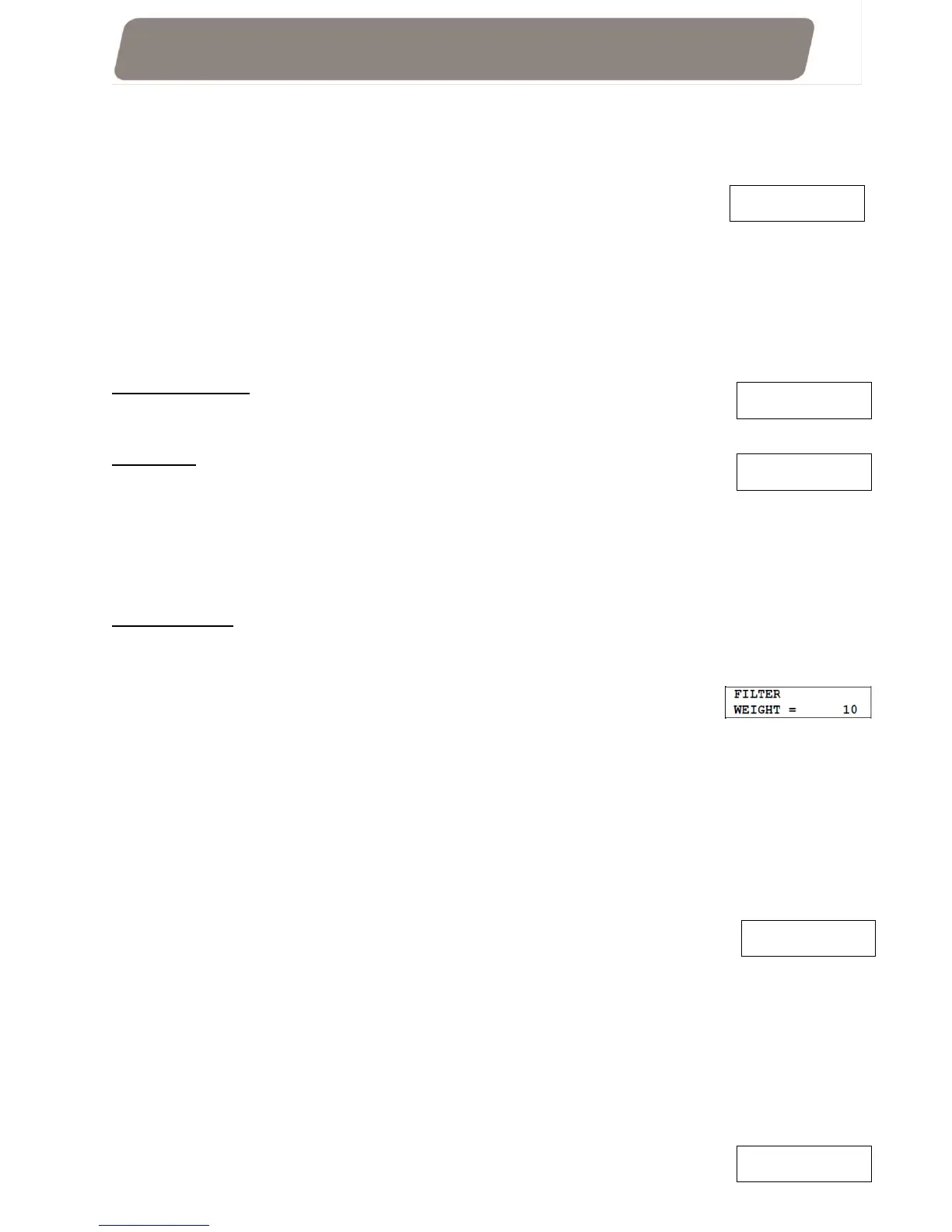
FILTER WEIGHT
This sets the allowed band of the ABSOLUTE weights that can be used to generate a
CALCULATED weight. Default is set at 10. The DR calculates a ROLLING AVERAGE of
consecutive ABSOLUTE weight observations. This number entered for this option is the
amount of variation from a mean weight that is allowed, both up or
down. Example, selecting 5 would mean the acceptable band is +/- 5
lbs. If any of these observations falls outside the selected range, the
calculation is thrown out and the DR continues seeking an allowed rolling average until it has
a sufficient number of consecutive observations within the selected band.
Use numeric keypad to enter the time value.
Press ENTER key to accept value.
Code 9088 - Entry Of Average Part Weight
Press keys 9088. Press ENTER.
Use the numeric keys to enter an Average Part Weight (APW).
Press ENTER key to accept the displayed value.
Code 9089 - Program Name Through Serial Port
Allows a 16-character alpha-numeric string to enter for a custom name.
This name is displayed on the top line of the display when in the Gross weigh mode. This
header can also be selected to be printed, see Code 9084.
You need the RS232 option installed, data cable, and a PC running a terminal emulation program.
Configure PC COMM port to match baud rate selected in Code 9084 (default 9600 baud), 8 data
bits, NO parity, 1 stop bit.
Press keys 9089. Press ENTER.
12V BV = XXX
RAW A/D= XXXXXXX
AVERAGE PIECE WT
LB. = X.XX
PROGRAMMING THRU
SERIAL PORT
BACK LIGHT TIME
MINUTES= 30.0


 To Next Page