DigitalVideoRecorderQuickStartGuide
6
Chapter1PanelsDescription
1.1FrontPanel
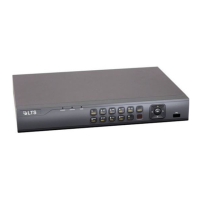
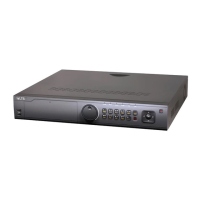
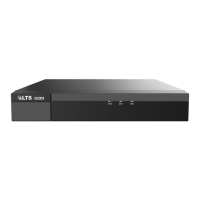
Thefrontpanelvairesaccordingtodifferentmodels.Pleaseref ertotheactualproduct.
Figure1‐1 Fron tPanel
Table1‐1 DescriptionofFr on tPanel
No. Name Function Description
1
Status Indicators
POWER: The POWER indicator turns green when NVR is
powered up.
STATUS: 1.The light is green when the IR remote control
is enabled; 2.The light is red when the function of the
composite keys (SHIFT) are used; 3. The light is out when
none of the above condition is met/
Tx/Rx: TX/RX indicator flickers green when network
connection is functioning normally.
2 USB Interfaces
Universal Serial Bus (USB) ports for additional devices
such as USB mouse and USB Hard Disk Drive (HDD).
3
Composite
Keys
1/MENU:
Enter numeral “1”;
Access the main menu interface.
2/ABC/F1:
Enter numeral “2”;
Enter letters “ABC”;
The F1 button when used in a list field will select all items
in the list.
In PTZ Control mode, it will turn on/off PTZ light and
when the image is zoomed in, the key is used to zoom out.
3/DEF/F2:
Enter numeral “3”;
Enter letters “DEF”;
The F2 button is used to change the tab pages.
In PTZ control mode, it zooms in the image.
4/GHI/ESC:
Enter numeral “4”;
Enter letters “GHI”;
Exit and back to the previous menu.


 To Next Page
 Loading...