10
7. PARAMETER SETTING
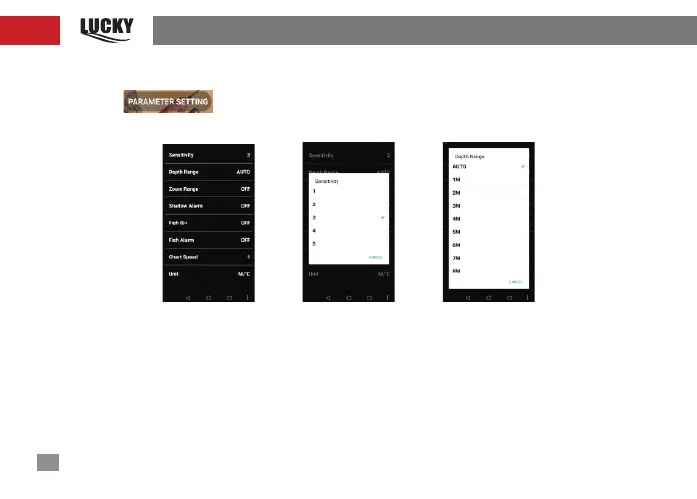
Clickl On in the main interface shown in Figure 9,and enter the parameter setting
function,as shown in Figure13;the functions are shown from top to bottom in turn:
fig-13 fig-14 fig-15
1) Sensitivity: Sensitivity is set as 1-5; this option is used to adjust the sensitivity of the sonar,
as shown in Figure 14.
2) Depth range:The depth range setting is used to set the displayed maximum depth; i.e.
the lower limit value of the scale, as shown in Figure 15. If the depth range is set to be automatic,
then the lower limit value


 To Next Page