FISHFINDER
7
6. OPERATION MODE
Click on in the main interfaces shown in Figure 9, and enter the operation mode.
If the transducer can’t be connected by WIFI, then no response will be prompted.
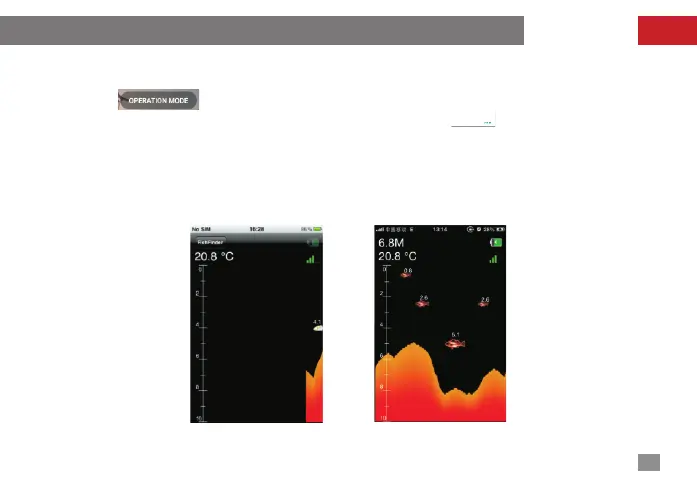
The display content of operation mode is consistent with that of the simulation demonstration;
in other words, the water depth, water temperature and fish information can be constantly
obtained from WIFI transducer, and constantly updated from right to left; when the underwater
situation changes a lot,the underwater profile diagram will be formed as shown in Figure 11.
Next, each display unit in Figure 12 will be made detailed introduction.
no res ponse
fig-11 fig-12


 To Next Page