Original Instructions Lumedica OQ LabScope 1.2 | Page 13 of 26
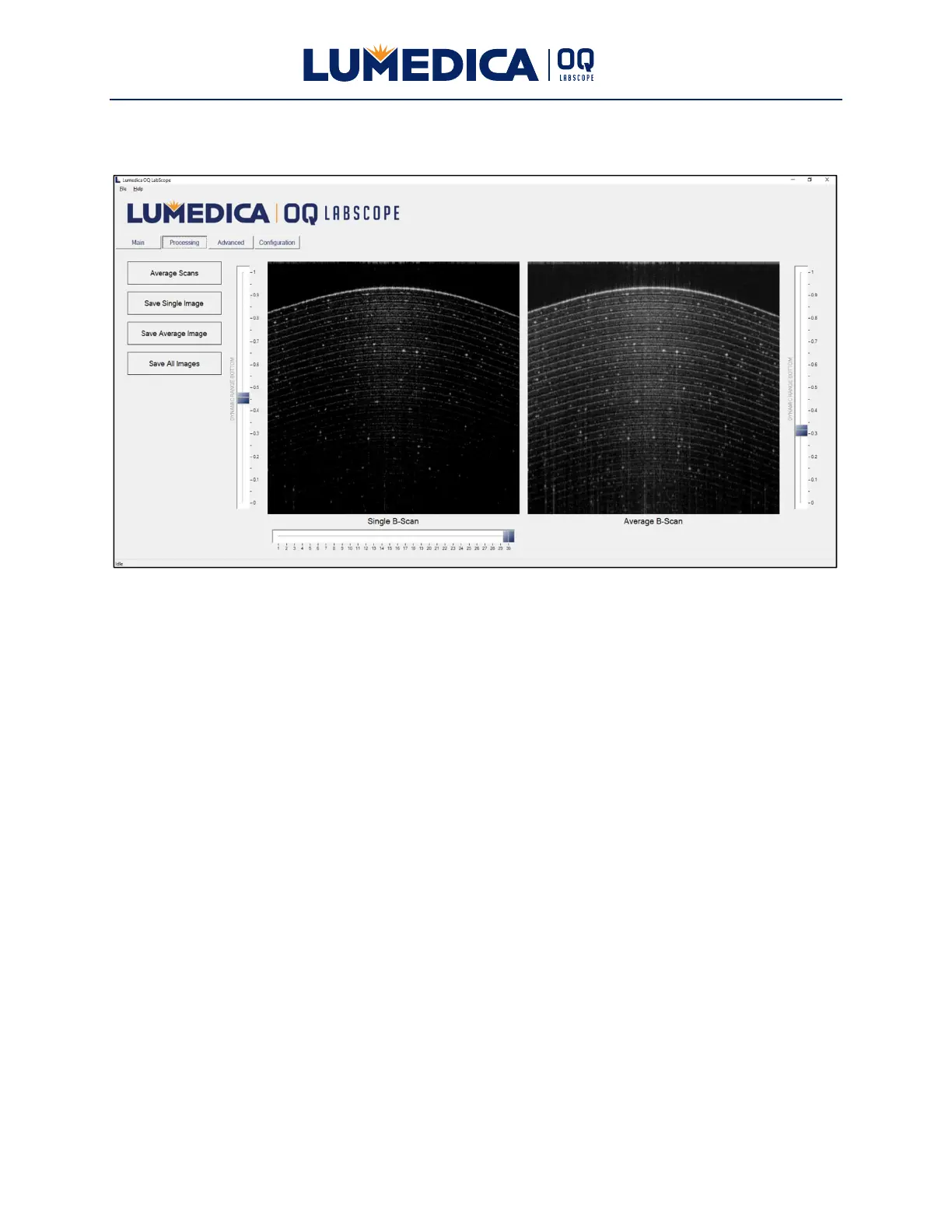
Processing Tab
This tab contains the image processing controls. This functionality is only enabled when the
OCT system is not scanning. That is, the Start/Stop button on the Main tab says “Start Scan.”
The OQ LabScope software maintains a circular buffer of the last 30 images acquired by the
system. This corresponds to about 3 seconds of imaging time.
Buttons:
Average Scans — Averages all of the scans that are in the image buffer. Displays the result in
the right hand panel on this tab.
Save Single Image — Stores the selected single B-Scan image that is displayed in the left-
hand panel to disk. This image is saved in both .tif and .jpg formats. The directory where the
files are saved is C:\Users\Public\Documents\Lumedica\OctEngine\Data. The files are named
“BSCAN-SGL-#date#-#time#” where #date# is the date and #time# is the time when the file
was saved.
Save Average Image — Stores the average B-Scan image that is displayed in the right-hand
panel to disk. This image is saved in both .tif and .jpg formats. The directory where the files are
saved is C:\Users\Public\Documents\Lumedica\OctEngine\Data. The files are named “BSCAN-
AVG-#date#-#time#” where #date# is the current date and #time# is the time when the file
was saved.
Save All Images — Stores all B-Scan images in the image buffer to disk. These images are
saved in .jpg format. The files are saved to a new folder in
C:\Users\Public\Documents\Lumedica\OctEngine\Data\#date#-#time# where #date# is the


 To Next Page