Original Instructions Lumedica OQ LabScope 1.2 | Page 20 of 26
Customized OCT System Configuration
Software configuration file
There is a configuration file for the software that can modify some of the parameters that are not
available in the graphical user interface. If you need access to the configuration file, please contact us at
support@lumedicasystems.com.
Hardware – inside the box
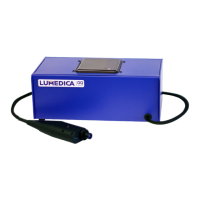
The hardware inside the OQ LabScope box includes the light source, spectrometer, reference arm, and
computer.
It is possible to make adjustments to the reference and sample arm; however we only recommend this to
users with some experience with OCT systems.
To access the hardware inside of the box, unscrew the four screws holding the top panel onto the box.
There are two on the left side and two on the right side.
Open the top by lifting from the front side. Be careful since the computer is mounted to the top and
there are several USB cables running from the computer to other parts of the system. You may need
assistance holding the top open while making adjustments inside the box.
Polarization control
Inside the OQ LabScope are two sets of polarization paddles. Each set has two paddles. The set at the
back is in the sample arm and the set closer to the front is in the reference arm. The amount of
polarization rotation is set by the position of each of the two paddles in the two arms.
The reference arm should remain static and should not require any polarization adjustment.
The sample arm may need adjustment if the orientation of the handheld scanner is significantly different
than when it was assembled. Before adjusting the paddles, make sure that the scanner umbilical is not
looped across itself and that the umbilical does not have a twist in it. Both of these conditions may affect
the polarization.
If the polarization is still misaligned, the position of the two paddles can be adjusted to re-optimize. We
recommend having a known sample to image while making the adjustment, such as the roll of Scotch™
tape supplied with the system.


 To Next Page