EasyManua.ls Logo

LUMENIS PULSE 100H - User Manual

Default Icon
76 pages
Print Icon
To Next Page IconTo Next Page
Loading...
Holmium Surgical Lasers
Operator's Manual
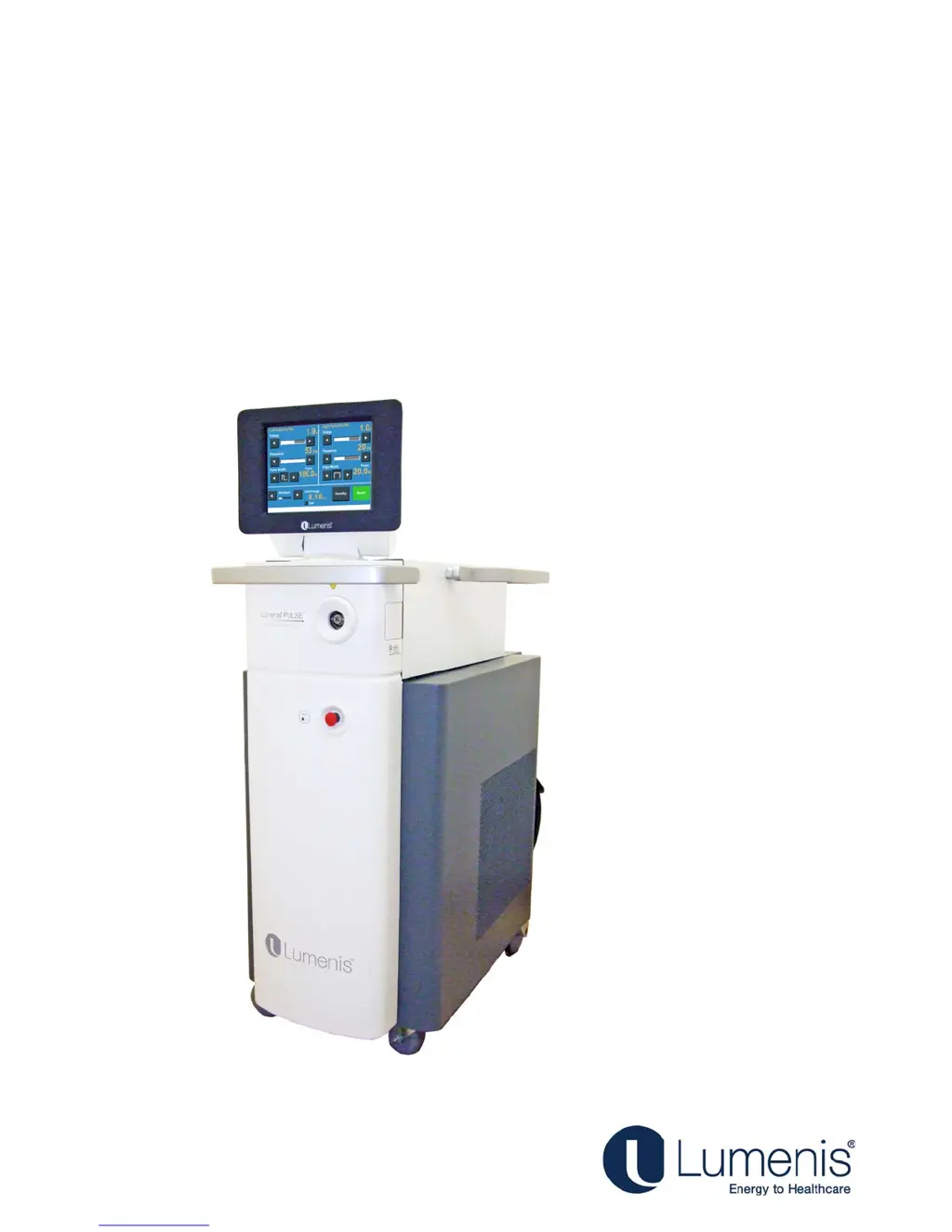
Lumenis PULSE
50H/100H
®
TM

Table of Contents

Questions and Answers

  • K
    Katrina CollinsSep 9, 2025
    What to do if Lumenis Medical Equipment shows 'Attach an Authorized Fiber' message?
    • D
      Darren WilliamsSep 9, 2025
      If your Lumenis Medical Equipment displays the message “Attach an Authorized Fiber”, attach an authorized fiber or Contact Lumenis Customer Service to obtain the correct fibers. Refer to the optical fiber’s Directions for Use document for specific instructions on how to work with the fiber.
  • C
    Candace GallagherAug 23, 2025
    What to do if the LUMENIS PULSE 100H Medical Equipment shows 'Energy low' message?
    • A
      Amy PattersonAug 23, 2025
      If the energy delivered is less than 50% of the selected level on your Lumenis Medical Equipment, press the Standby button to clear the message, then press the Ready button and resume normal operation. If the condition continues, turn off the laser system for five seconds, then turn it back on. If the condition persists, contact Lumenis Customer Service.
  • A
    Ashley HunterAug 25, 2025
    What to do if the LUMENIS PULSE 100H Medical Equipment shows 'Rate high' message?
    • J
      Justin LopezAug 25, 2025
      If the pulse rate delivered is at least 20% more than the selected level on your Lumenis Medical Equipment, press the Standby button to clear the message, then press the Ready button and resume normal operation. If the condition continues, turn off the laser system for five seconds, then turn it back on. If the condition persists, contact your Lumenis Customer Service.
  • E
    espinozasheenaAug 26, 2025
    What to do if the LUMENIS PULSE 100H shows 'Rate low' message?
    • M
      michael48Aug 26, 2025
      If the pulse rate delivered is less than 80% of the selected level on your Lumenis Medical Equipment, press the Ready button to clear the message. If the condition continues, turn off the laser system for five seconds, then turn it back on. If the condition persists, contact Lumenis Customer Service.
  • A
    Anita JonesAug 27, 2025
    What to do if my LUMENIS PULSE 100H Medical Equipment system overheats?
    • A
      angela29Aug 27, 2025
      If your Lumenis Medical Equipment system overheats, verify that the treatment room temperature is between 10 and 30°C (50 and 86°F) and that the laser system is at least 50 centimeters (20 inches) from walls, furniture, or other equipment. If the laser system overheats, do not turn it off. Leaving the laser system on allows the internal cooling system to quickly cool the system’s internal components. Allow the system to cool for several minutes and resume normal operation.
  • C
    Carlos MartinAug 29, 2025
    What to do if LUMENIS PULSE 100H Medical Equipment shows 'Check interlock' message?
    • J
      jamiegalvanAug 29, 2025
      If your Lumenis Medical Equipment displays the message “Check interlock”, close the interlock door, or insert the interlock plug.
  • N
    Nathaniel OchoaSep 18, 2025
    What to do if there is no laser energy emission from LUMENIS PULSE 100H Medical Equipment?
    • M
      Michael MckinneySep 18, 2025
      If there is No Laser Energy Emission from your Lumenis Medical Equipment, replace the optical fiber and inspect and, if necessary, replace the debris shield. If the issue persists, contact Lumenis Customer Service.
  • S
    samuel29Sep 18, 2025
    What to do if Lumenis Medical Equipment shows Initialization Error Message?
    • J
      Jennifer HudsonSep 19, 2025
      If you receive an Initialization Error Message on your Lumenis Medical Equipment, write down the error number and restart the system via the keyswitch. If the problem re-occurs, contact Lumenis Customer Service.
  • T
    Teresa CrossSep 7, 2025
    Why is there a 'Popping' or 'Tapping' sound from the Fiber Port of my Lumenis Medical Equipment?
    • R
      Ricky LunaSep 8, 2025
      If you're experiencing a 'Popping' or 'Tapping' sound coming from the Fiber Port on your Lumenis Medical Equipment, it may be due to a malfunction of the optical fiber connector. Replace both the optical fiber and the debris shield.
  • J
    Jessica GlennSep 4, 2025
    What does it mean if Lumenis Medical Equipment shows 'Attach fiber' message?
    • S
      samantha82Sep 4, 2025
      If your Lumenis Medical Equipment displays the message “Attach fiber” because the optical fiber’s connector is not properly connected, connect the optical fiber as instructed earlier in this manual.

Summary

Chapter 3: Safety

Introduction

Provides general safety information for operating the laser system.

Optical Hazards

Details risks associated with laser light exposure to eyes and skin.

Laser Safety Eyewear

Specifies requirements and types of protective eyewear needed.

Additional Ocular Protection

Outlines extra measures to protect eyes during procedures.

Electrical Hazards

Warns about risks related to the laser system's electrical components.

Fire Hazards

Identifies potential fire risks and precautions during laser use.

Additional Safety Considerations

Covers other important safety aspects not fitting specific categories.

Protecting Non-Target Tissues

Provides guidance on preventing unintended tissue damage.

Laser Emission Indicators

Explains how the system signals that laser energy is being emitted.

Warning, Certification and Identification Labels

Explains the purpose and location of system labels.

Explanation of the Symbols Used in the Labels

Clarifies the meaning of various symbols on the device.

Chapter 4: Clinical Guide

Chapter 5: Preparing the System for Use

Chapter 6: Operating Instructions

Chapter 7: Troubleshooting and Maintenance

Handling Error Messages and Notifications

How to interpret and respond to system alerts.

Troubleshooting

General guidance for resolving system malfunctions.

System Overheats

Explains causes and actions for system overheating.

Message Appears: Attach an Authorized Fiber

Addresses errors related to fiber connection or compatibility.

Message Appears: Attach fiber

Error related to improper optical fiber connection.

Message Appears: Attach footswitch

Error related to improper footswitch connection.

Message Appears: Check footswitch

Indicates footswitch misuse during standby mode.

Message Appears: Check interlock

Error when a door interlock is open or not properly inserted.

Message Appears: Insert debris shield

Alert for a missing or improperly seated debris shield.

Message Appears: No lasers

Indicates a malfunction preventing laser emission.

Message Appears: Energy high

Error when delivered energy exceeds the set level.

Message Appears: Energy low

Error when delivered energy is below the set level.

Message Appears: Rate high

Error when pulse rate exceeds the set level.

Message Appears: Rate low

Error when pulse rate is below the set level.

Routine Periodic Maintenance

Schedule and tasks for regular system upkeep.

Hospital;Clinic Staff Maintenance

Maintenance tasks to be performed by facility staff.

Visual Inspection

Procedure for weekly checks of system integrity.

Routine Exterior Cleaning

Guidelines for cleaning the system's external surfaces.

Chapter 8: System Requirements and General Information

LUMENIS PULSE 100H Specifications

General IconGeneral
BrandLUMENIS
ModelPULSE 100H
CategoryMedical Equipment
LanguageEnglish

Related product manuals