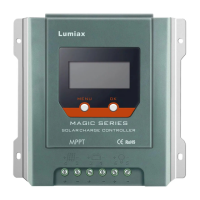
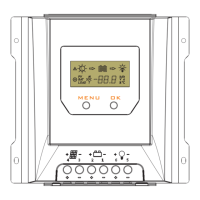
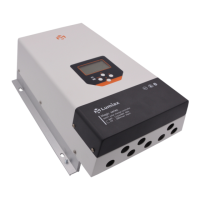
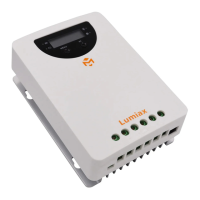
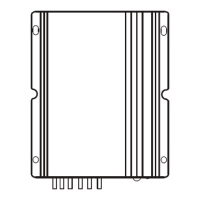
The Lumiax Magicube series MPPT Solar Controller is an advanced solar PV charge controller designed to optimize the charging process in solar systems. It utilizes Maximum Power Point Tracking (MPPT) technology, achieving a conversion efficiency of up to 98%, which ensures that the maximum available power from the solar module is utilized to charge the battery. This controller is suitable for various solar system configurations, offering flexibility and a range of features to enhance system performance and battery life.
Function Description
The primary function of the Magicube series controller is to manage the charging of batteries from solar panels. It employs a sophisticated 4-stage battery charging algorithm: MPPT, boost, equalization, and float.
-
MPPT Charge: In this initial stage, the controller actively tracks the maximum power point of the solar module to extract the highest possible power. This is particularly beneficial when the solar module's maximum power voltage (Vmp) is significantly higher than the battery voltage, leading to a "current boost" where the battery current is proportionally greater than the solar input current. This stage continues until the battery reaches the boost voltage setpoint.
-
Boost Charge: Once the battery voltage reaches the boost setpoint, the controller switches to constant-voltage regulation to prevent overheating and excessive gassing of the battery. This stage typically lasts for 120 minutes. The controller enters the boost charging stage upon power-on if it detects neither an over-discharged nor an over-voltage condition.
-
Equalize Charge: This stage is designed for certain battery types that benefit from periodic equalizing charges. It helps to stir the electrolyte, balance battery voltages, and complete chemical reactions by increasing the battery voltage above the standard complement voltage, causing the battery electrolyte to gasify. If the controller detects an over-discharged battery, it will automatically initiate a 120-minute equalization charge. This stage is not performed constantly to prevent excessive gassing or overheating.
-
Float Charge: After the boost voltage stage, the controller reduces the battery voltage to the float voltage setpoint. In this stage, the battery is fully recharged, and the charge current is reduced to a smaller voltage and current to offset self-consumption and small loads, maintaining full battery storage capacity without overcharging. If system loads exceed the solar charge current and the battery voltage drops below the boost reconnect charging voltage, the controller will exit the float stage and return to bulk charging.
The controller also offers multiple load control modes, including "Always on," "Dusk to Dawn," "Evening," and "Manual," providing flexibility in managing connected loads. It features real-time energy statistics, allowing users to monitor operating data and working conditions easily through an LCD display.
Usage Features
The Magicube series controller is designed for ease of use and offers several features that enhance its functionality and user experience:
- Automatic Recognition: It automatically recognizes 12V/24V system voltages, simplifying setup.
- Battery Compatibility: The controller supports various battery types, including Liquid, Gel, AGM, and Lithium, offering flexibility for different solar setups.
- Temperature Compensation: An accurate remote temperature sensor extends battery life by providing precise temperature data for compensation during charging. If the external sensor is not connected or damaged, the controller defaults to internal temperature information.
- Protection Functions: The controller is equipped with comprehensive protection features, including over-temperature protection with a built-in power reduction function, dual automatic protection to prevent exceeding rated charging power and current, PV over current, PV short circuit, PV reverse polarity, battery reverse polarity, battery over voltage, battery over discharge, load over current, and load short circuit protection.
- Communication Options:
- IoT Wireless Communication: This optional feature allows remote access to the controller through IoT/GPRS. It enables real-time monitoring of PV voltage, charging current, battery voltage, battery current, load voltage, load current, and other system parameters, as well as charge controller status, through a WeChat App or PC program. It also provides real-time automatic fault alarms and displays monthly charging data through grouping and graphs.
- Bluetooth Communication: Available as an internal or external (Cyber-BT) option, Bluetooth communication supports an Android mobile phone App for wireless monitoring. It uses a high-performance, ultra-low power consumption Bluetooth dedicated chip with Bluetooth 4.2 and BLE technology, offering a communication distance of up to 10m.
- RS485 Interface: Based on the RS-485 standard Modbus protocol with an RJ11 interface, this feature maximizes communication needs for different occasions, allowing connection to monitoring devices.
- LCD Display: The LCD display provides clear and easy-to-read operating data and working conditions, including PV voltage, PV current, battery voltage, battery current, load voltage, load current, temperature, and load mode.
- Key Functions: A simple key interface (MENU, OK) allows users to browse interfaces, lock/unlock the display, set parameters, and manually control the load in street lamp mode.
- Street Lamp Function: When set to Dusk to Dawn or Evening mode, the controller allows adjustment of the Day/Night threshold voltage and delay time. A test function enables turning the load on or off during the day charging process.
- User-Defined Mode: In "USE" load mode, users can manually switch the load output on and off.
Maintenance Features
To ensure optimal system performance and longevity, the Magicube series controller incorporates features that facilitate maintenance and provides recommendations for regular checks:
- Electronic Protection: The controller includes full automatic electronic protection functions, increasing its availability and reducing the need for frequent manual intervention in case of faults.
- Troubleshooting Guide: The manual provides a detailed troubleshooting section with common faults, their reasons, and recommended actions, such as short circuit, over current, low/high battery voltage, over temperature, and abnormal battery voltage at start-up.
- Regular Inspections: It is recommended to perform inspections and maintenance tasks at least twice a year. These include:
- Ensuring unobstructed airflow around the controller and clearing dirt/fragments from the radiator.
- Checking all naked wires for insulation damage and repairing/replacing them if necessary.
- Tightening all terminal screws to the indicated torque and inspecting for loose, broken, or burnt cable/wire connections.
- Confirming LCD consistency with requirements and addressing any troubleshooting or error indications.
- Ensuring all system components are effectively and tightly connected to the ground.
- Checking all terminals for corrosion, damaged insulation, increased temperature, or carbonization/discoloration.
- Checking for dirt, nesting insects, and corrosion, and implementing corrective actions as early as possible.
- Safety Warning: A critical safety warning emphasizes turning off all power before performing maintenance operations to prevent electric shock.
The Magicube series MPPT Solar Controller is a robust and intelligent solution for managing solar power, offering efficient charging, comprehensive protection, and user-friendly features for various off-grid and hybrid solar applications.



 To Next Page
 General