Doc. No.: CP2 Control Panel_usermanual_D0077_EN_v1.7.docx7
6 OPERATING INSTRUCTIONS
This chapter describes how to use and operate the Control Panel
6.1 OPERATING THE CONTROL PANEL
Default value
at power-up
Button backlight
adjustment
Shuffle through 0, 5, 50 and 100% intensity
(before starting at 0% again)
Intensity increments through 10, 25, 50 and
100%
Intensity decrements through 100, 50, 25 and
10%
Intensity increments through 0, 25, 50 and
100%
Intensity decrements through 100, 50, 25 and
0%
6.1.1 Control of luminaire light intensity
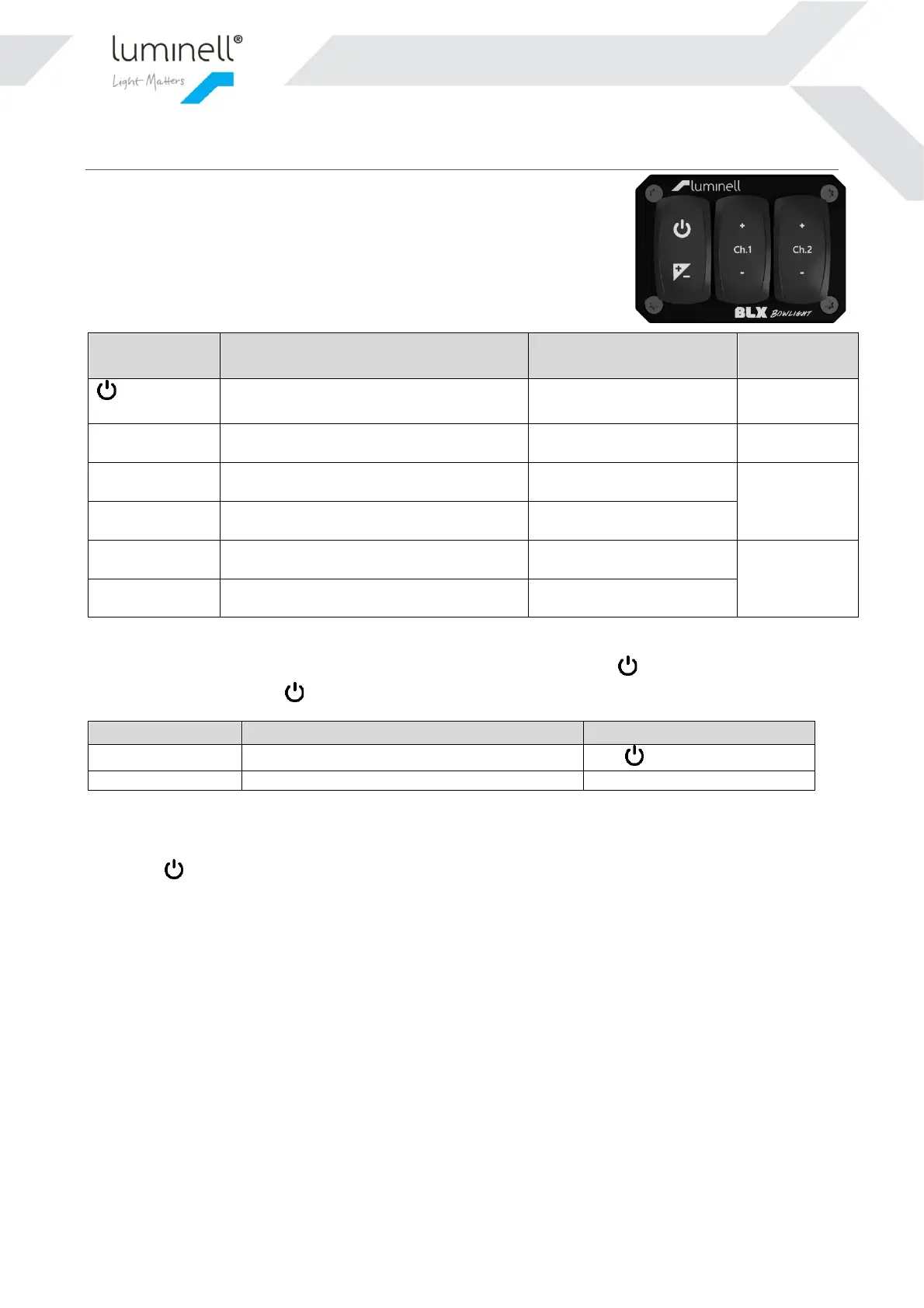
To control the connected luminaires light level, the Control panel has a main switch , and two independent light
channels with +/- buttons. The -switch toggles the Main light state between all Off, and last set intensity level:
Button backlight (see 6.1.2)
Last selected with the level buttons
The intensity level for each of the two channels are controlled in steps by the +/- buttons.
Besides the -button in the Control Panel(s), the external inputs also control the Main light state. Please see chapter
5.1 for more info.
When the Main light state is ON, the selected dim levels will translate to 0-10V analog output (see chapter 5.1). The
analog output signal could be used to control luminaires with wired dim-interface, or/and as a feedback signal to an
external control system.
Channel 1 has a minimum dim level of 10%. This is done by purpose to prevent zero light output when the Main
switch is turned on.
6.1.2 Button backlight intensity
Each of the six buttons have a red LED for backlight illumination. The intensity of all LED’s could be set simultaneous
using the “Backlight Dim”-button. This will shuffle through 0, 5, 50 and 100% intensity (before starting at 0% again).
Further, the state of “Main light” decides which LED’s that are lit. The figures below show the two different behaviors:


 To Next Page