12
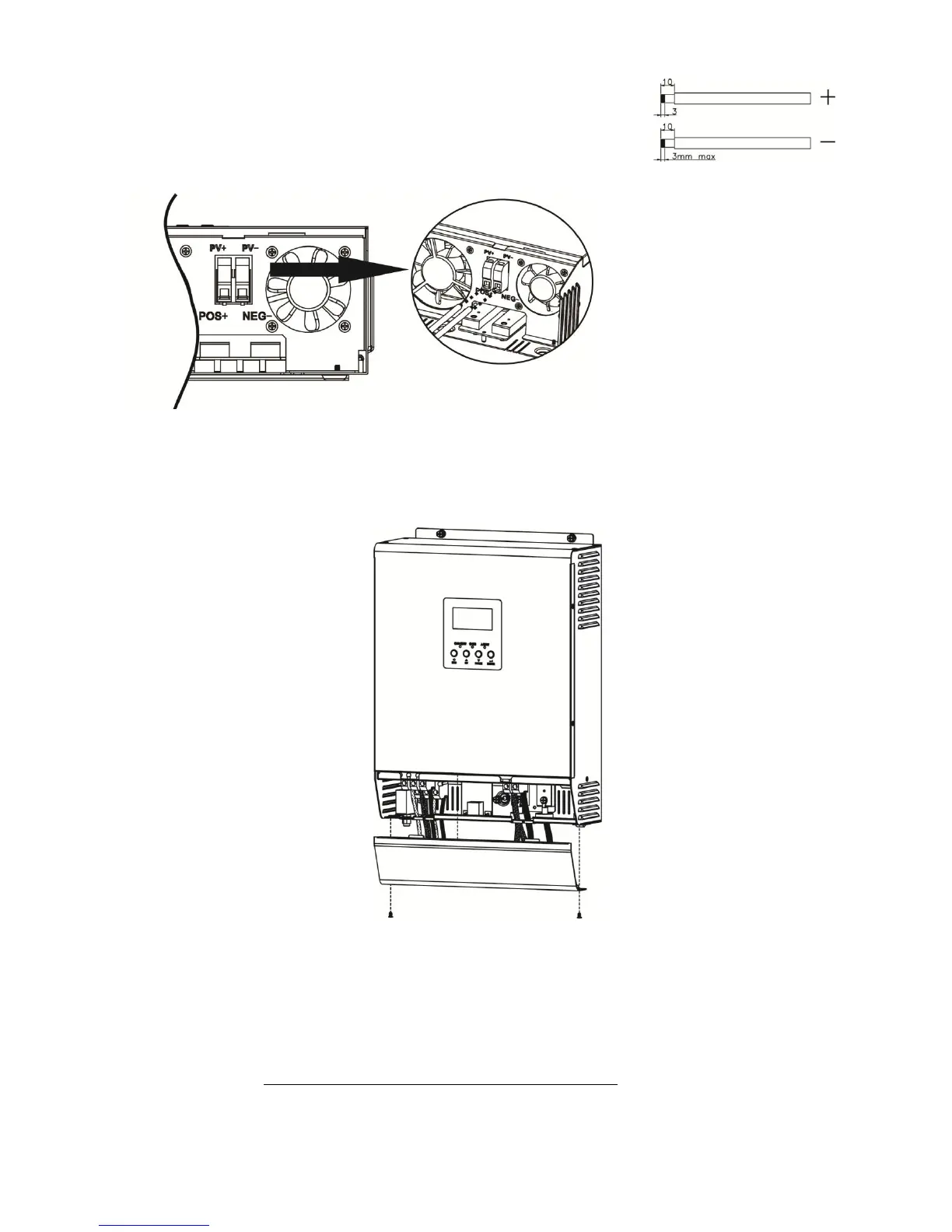
Please follow below steps to implement PV module connection:
1. Remove insulation sleeve 10 mm for positive and negative conductors.
2. Check correct polarity of connection cable from PV modules and PV input
connectors. Then, connect positive pole (+) of connection cable to positive
pole (+) of PV input connector. Connect negative pole (-) of connection
cable to negative pole (-) of PV input connector.
3. Make sure the wires are securely connected.
Final Assembly
After connecting all wirings, please put bottom cover by screwing two screws as shown below.
Communication Connection
This inverter/charger is equipped with a communication port to communicate with a PC with corresponding
software. Please use supplied communication cable to connect to RS-232 of this inverter and RS-232 port of
the PC. Please access software download site to download the monitoring software in your PC. Software
download website: www.power-software-download.com/watchpower.html. For the detailed software
operation, please check user manual of software.



 To Next Page