EasyManua.ls Logo

Luminous 2KVA - LCD Setting

Default Icon
28 pages
Print Icon
To Next Page IconTo Next Page
To Previous Page IconTo Previous Page
Loading...
16
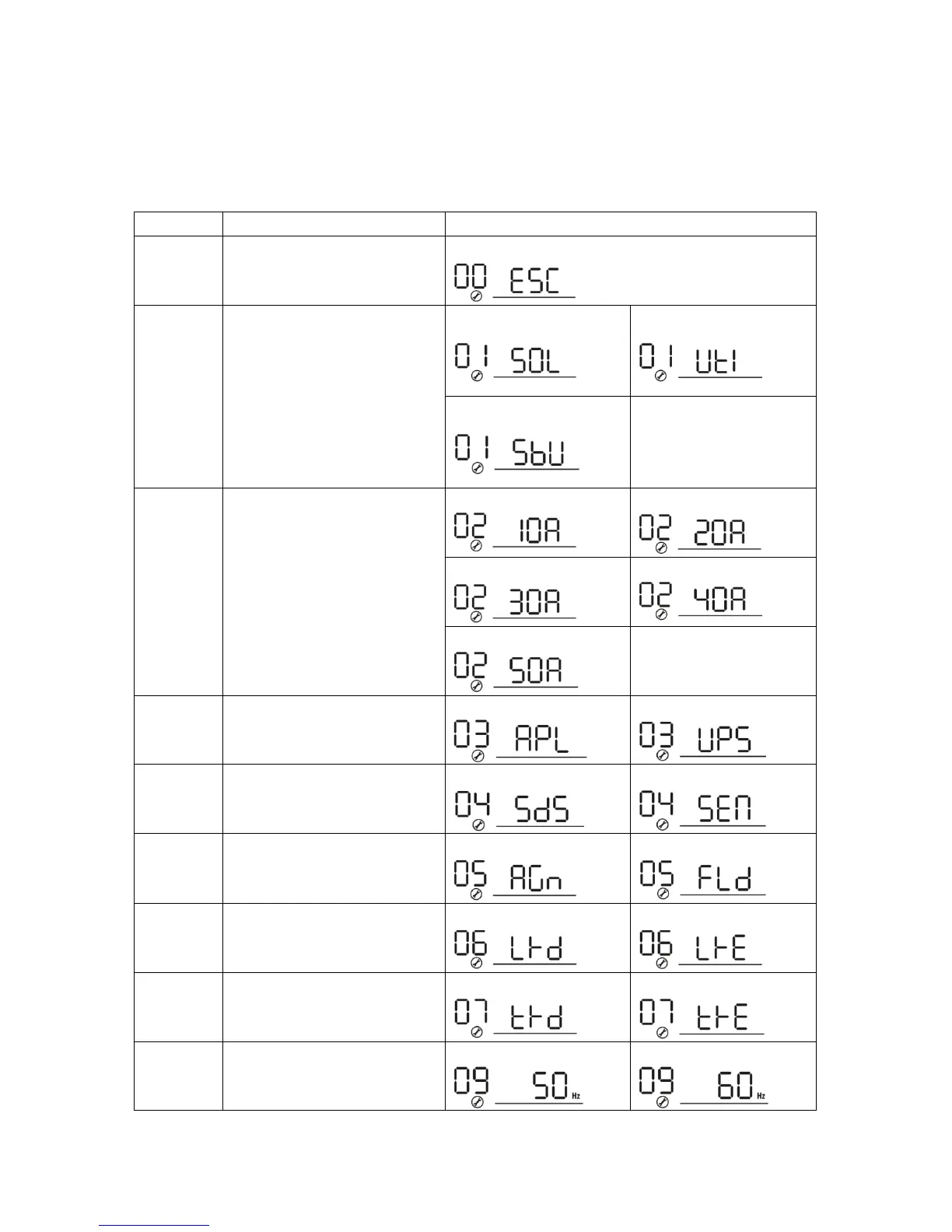
LCD Setting
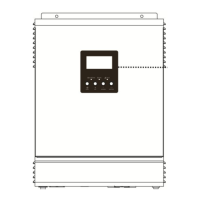
After pressing and holding ENTER button for 3 seconds, the unit will enter setting mode. Press UP or
DOWN button to select setting programs. And then, press ENTER button to confirm the selection or
ESC button to exit.
Setting Programs:
Program
Description
Selectable option
00
Exit setting mode
Escape
01
Output source priority
Solar first:
Utility first (default):
Sbu priority:
02
Maximum charging current
10A:
20A:
30A:
40A:
50A (default):
03
AC input voltage range
Appliances(default):
UPS:
04
Power saving mode
Saving disable(default):
Saving mode enable:
05
Battery type
AGM(default):
Flooded:
06
Auto restart when overload
occurs
Restart disable(default):
Restart enable:
07
Auto restart when over
temperature occurs
Restart disable(default):
Restart enable:
09
Output frequency
50Hz(default):
60Hz:

Related product manuals