18
Internal
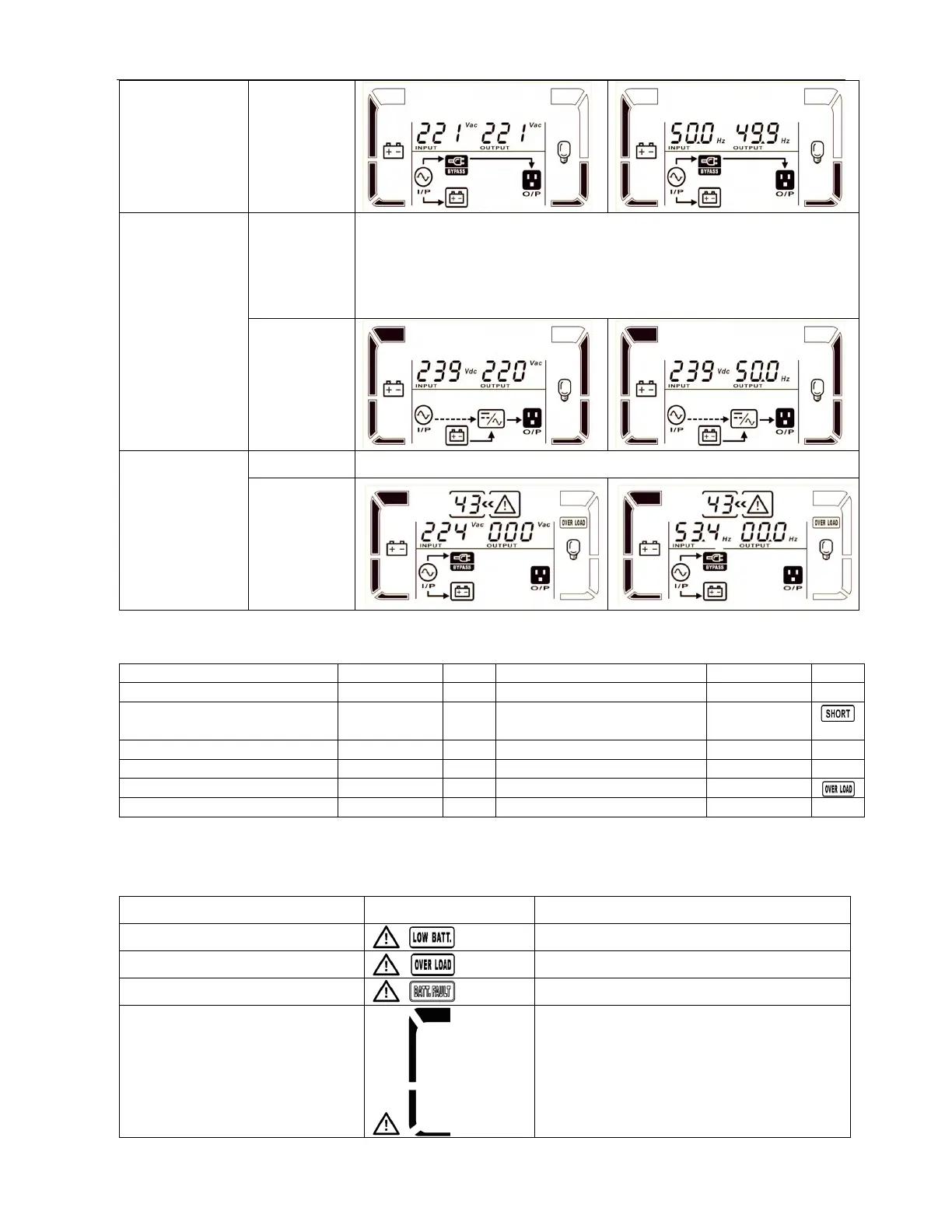
LCD display
Battery Test Description When UPS is in AC mode or CVCF mode, press “Test” key for more than
1s. Then, the UPS will beep once and start “Battery Test”. The line
between I/P and inverter icons will blink to remind users. This operation
is used to check the battery status.
LCD display
Fault status Description When UPS fault occurs, it will display fault codes in LCD panel.
LCD display
3-8. Fault Code
Fault event Fault code Icon Fault even
Fault code Icon
Bus start failure 01 None Low Inverter volta
e 13 None
Bus over 02 None Inverter output short
circuited
14
Bus under 03 None Batter
SCR short circuited 21 None
Bus unbalance 04 None Over tem
erature 41 None
Inverter soft start failure 11 None Overload 43
Hi
h Inverter volta
e 12 None
3-9. Warning Indicator
Warning Icon (flashing) Alarm
Battery low
Beeping every second
Overload
Beeping twice every second
Battery unconnected
Beeping every second
Over charge
Beeping every second



 To Next Page