11
Internal
in the UPS. Users can get the fault code from display panel. Please check the trouble shooting
table in chapter 4 for details.
2) Please check the loads, wiring, and ventilation, utility, battery and so on after the fault occurs.
Don’t try to turn on the UPS again before solving the problems. If the problems can’t be fixed,
please contact the Luminous service immediately.
3) In case of emergency, please cut off the connection from utility, external battery and output
immediately to avoid any risk.
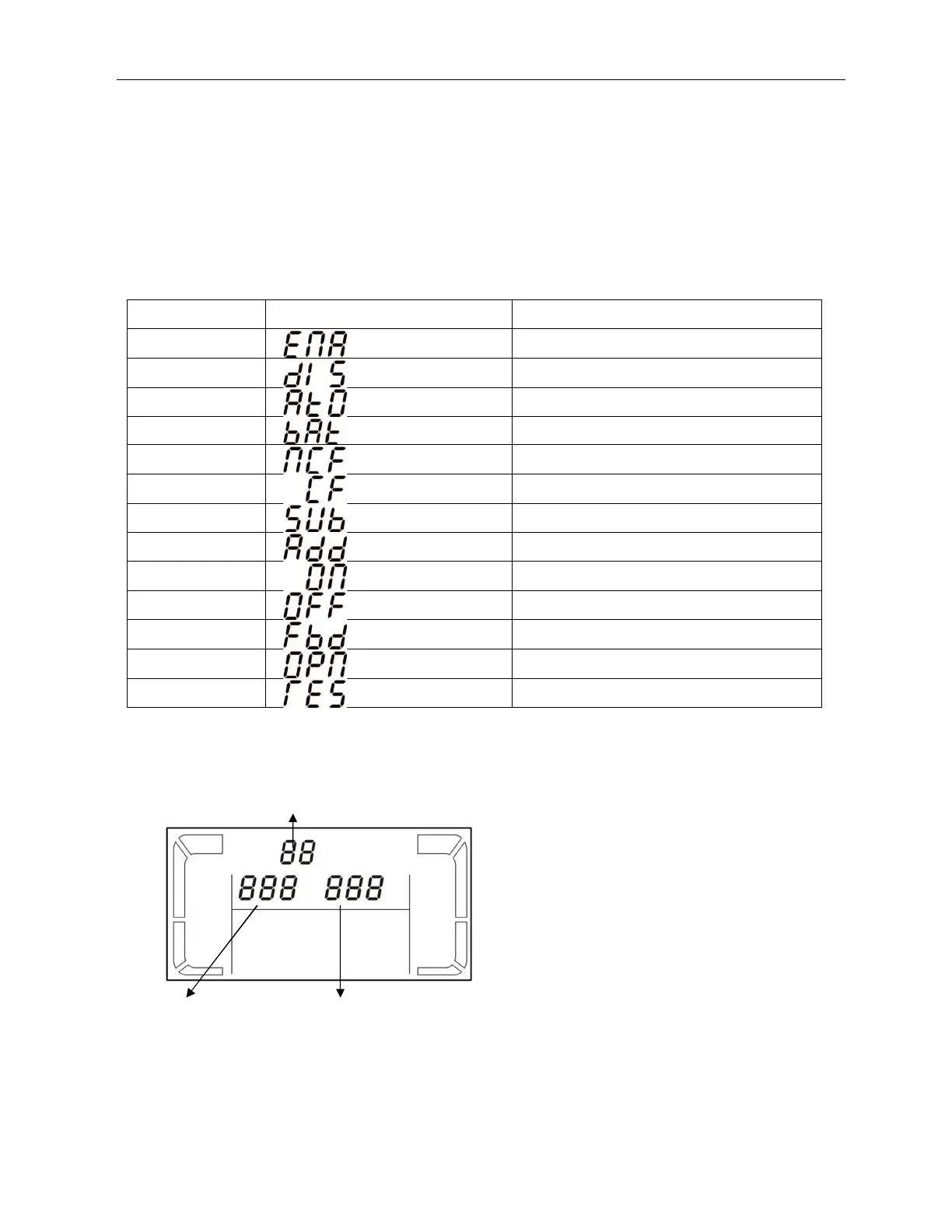
3-5. Abbreviation Meaning in LCD Display
Abbreviation Display content Meaning
ENA Enable
DIS Disable
ATO Auto
BAT Battery
NCF Normal mode (not CVCF mode)
CF CVCF mode
SUB Subtract
ADD Add
ON On
OFF Off
FBD Not allowed
OPN Allow
RES Reserved
3-6. LCD Setting
There are three parameters to be set up in the UPS. Refer to following diagram.
Parameter 1: It’s for program alternatives.
Refer to below table for the programs to set
up.
Parameter 2 and parameter 3 are the setting
options or values for each program.
Note: Please select “Up” or “Down” button to
change the programs or parameters.
Parameter 1
Parameter 2 Parameter 3



 To Next Page