19
Internal
EPO enable
Beeping every second
Over temperature
Beeping every second
Charger failure
Beeping every second
Overload 3 times in 30min
Beeping every second
Maintenance bypass switch
handle lock is open
Beeping every second
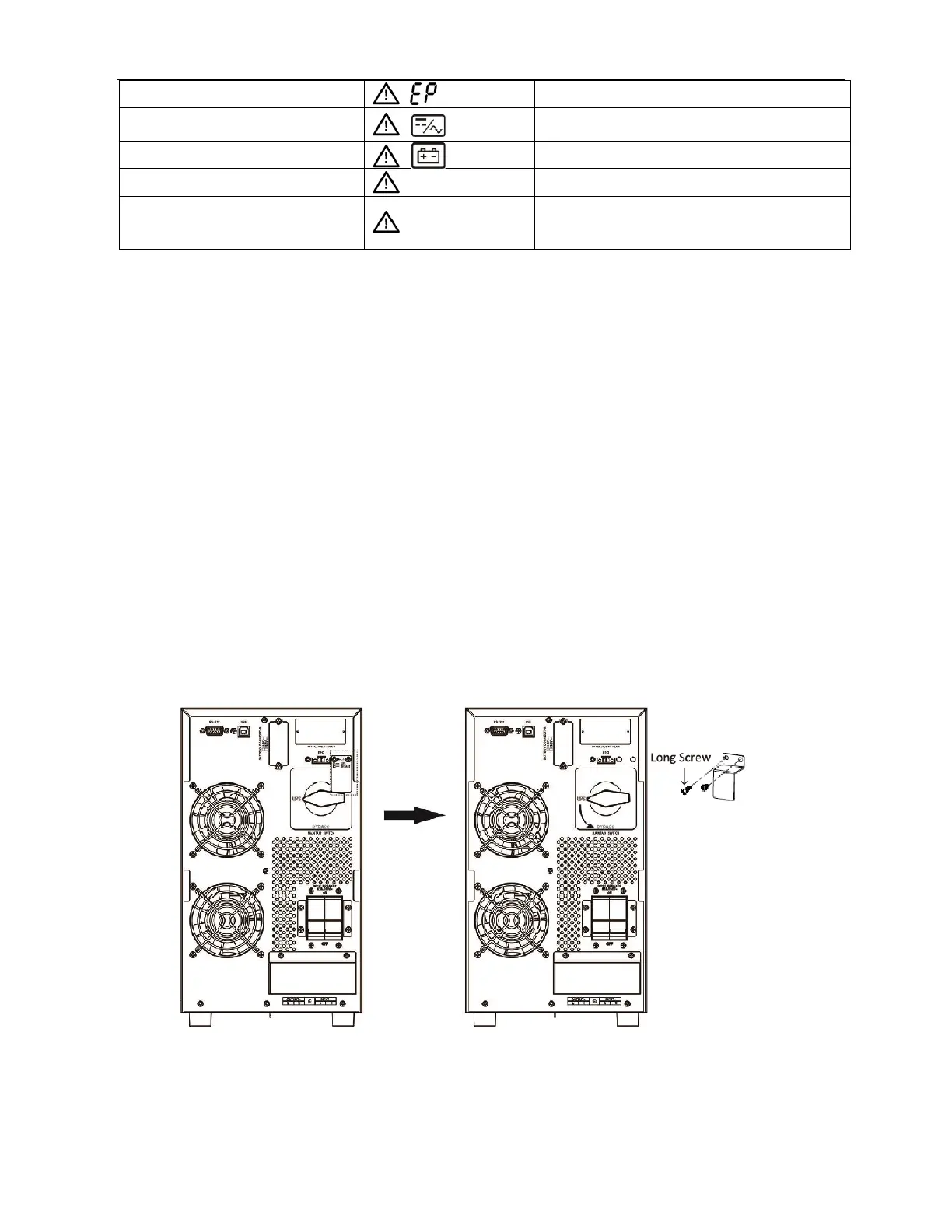
3-10. Maintenance Bypass Switch
Maintenance Bypass Switch (MBS) is designed to provide power during UPS maintenance or
replacement. It allows to manually transfer the connected equipment to utility power via a
bypass switch without power interruption. UPS maintenance or firmware / hardware upgrade
activity can be carried out by transferring the load from UPS to maintenance bypass.
Warning: In maintenance bypass mode, load is connected to the mains supply. Appropriate
precaution should be taken to protect the load.
Procedure to transfer the load from UPS mode to Maintenance Bypass
a) Verify all the parameter setting in the front panel display.
b) Turn off the inverter of the UPS by pressing “OFF” button for at least 1s.
c) The buzzer will beep once and UPS will turn into Bypass mode.
d) Verify that LCD screen is showing the Bypass mode.
e)
Remove MBS handle lock by removing its screws.
f) Transfer the rotary bypass switch from “UPS” to “Bypass” in counterclockwise
rotation.
g) Turn off the input circuit breaker. The load is now transferred from bypass mode to
maintenance bypass mode.
h) Follow the procedure / guidelines as described in the user / service manual for UPS
maintenance / upgrade procedure.



 To Next Page