20
Internal
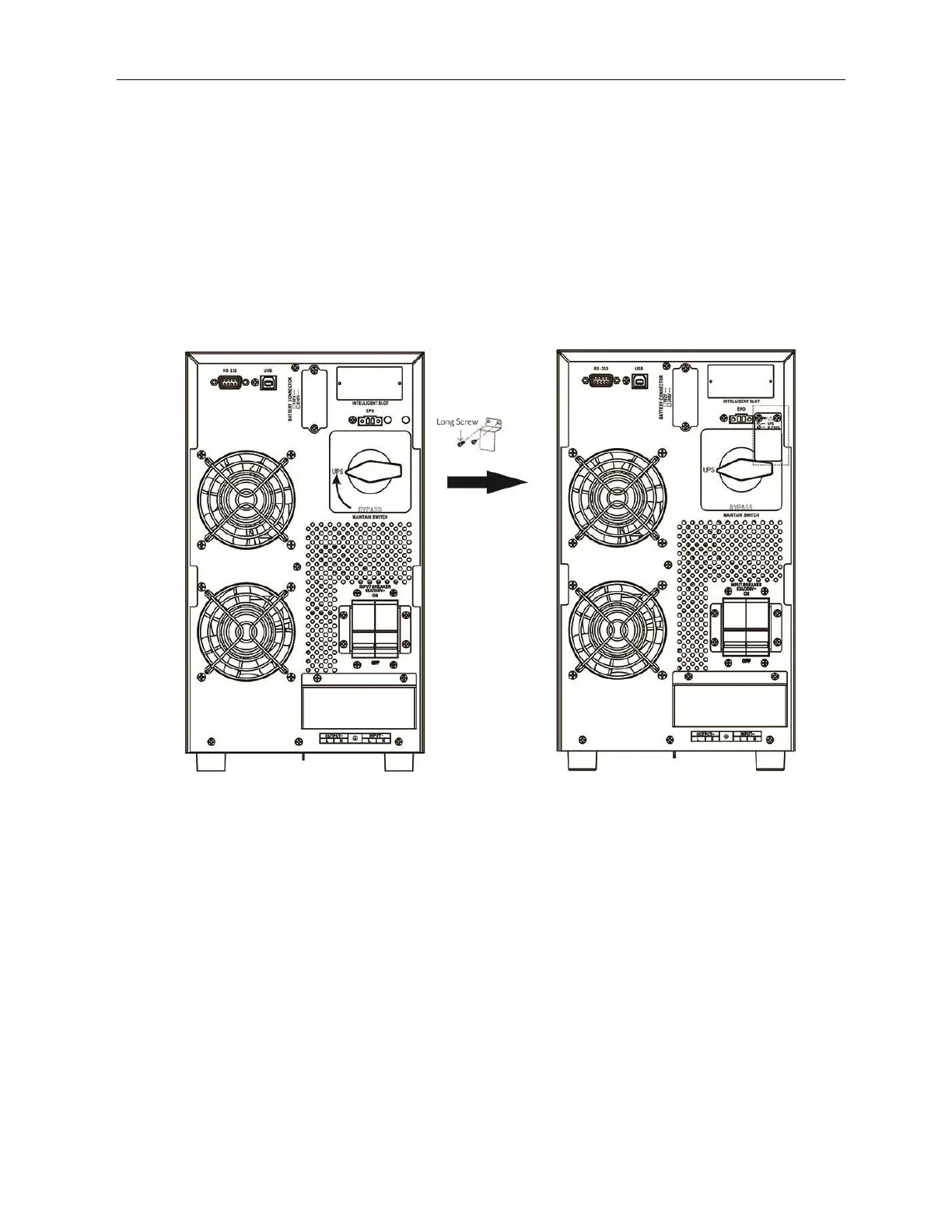
Procedure to transfer the load from Maintenance Bypass to UPS mode
a) Verify and ensure that Input circuit breaker is closed and battery is connected to the
UPS.
b) Verify and ensure that LCD screen is showing bypass mode.
c) Transfer the rotary bypass switch from “Bypass” to “UPS” in clockwise rotation.
d) Re-assemble and screw the MBS handle lock handle lock back to its original position.
e) Verify and ensure that MBS handle lock is screwed tightly.
ATTENTION: Without assembling the MBS handle lock, the unit will not transfer
back to UPS mode.
f) Press and hold the “ON” button for 1s to turn on the UPS and the buzzer will beep
once.
g) A few seconds later, the UPS will be turned on and enter to online mode.
h) Verify that LCD screen is showing the online mode.



 To Next Page