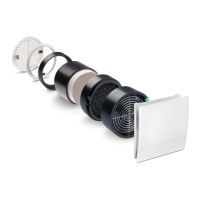
25
7.1 The LED lights up continuously when the filter is dirty.
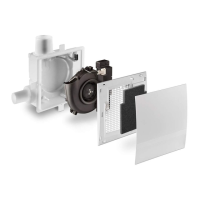
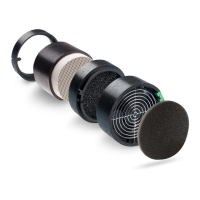
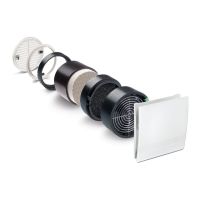
Remove the front cover, remove the filter. Insert a new or cleaned filter. The filter can be
cleaned e.g. using a dishwasher.
Press the button (S) with a tool, e.g. a pen, for 3 seconds; the LED goes out.
Put the front cover back in place.
Never operate the unit without a filter!
When necessary, wipe the front cover and grille frame using a dry soft cloth.
Filter change and cleaning must not be carried out by children or persons who are not able to
operate the unit safely on account of their physical, sensory or mental capacity or due to their
inexperience or lack of skills.
Pack of 3 filters 2/FSI-R Order no.: 39721
Control board basic variant 5/EC-ZI Order no.: 40080
Control board comfort variant 5/EC-FK Order no.: 40081
Control board basic variant up to 90 m³/h 5/EC-ZI90 Order no.: 40126
Control board comfort variant up to 90 m³/h 5/EC-FK90 Order no.: 40127
Control board comfort variant with VOC sensor 5/EC-FK+ Order no.: 40217
Control board comfort variant with VOC sensor up to 90 m³/h 5/EC-FK90+ Order no.: 40221
Control board for basement ventilation 5/EC-KE Order no.: 40133
Motion detector module 5/BM Order no.: 40082
Radio module 5/FM –EO Order no.: 40083
Additional Parts and Replacement Parts
7 Filter Change
Cleaning


 To Next Page