4. MEASURING PROCEDURE
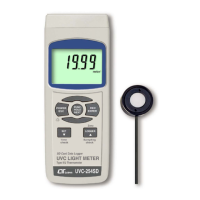
4-1 Function selection/Measurement
1)Turn on the meter by pressing the " Power Button "
( 3-2, Fig. 1 ) momentarily.
*
Pressing the " Power Button " ( 3-2, Fig. 1 )
continuously and > 2 seconds again will turn off the
meter.
2)The meter can select 2 kind function as :
a.UVC Light meter
b.Type K/J Thermometer
Pressing the " Function Button " ( 3-3, Fig. 1 )
continuously ( not release the button ), the Display
will show the following text in sequence :
C UVC Light meter
tP Type K/J Thermometer
Until the Display show the desired mode ( Function ),
just release the " Function Button " ( 3-3, Fig. 1 ), the
meter will execute this function with default.
7













 To Next Page