22
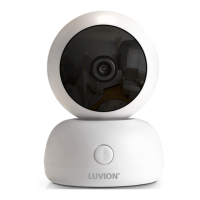
1. If you want to add a new camera, please
choose a free channel to add the camera.
Then select the add camera icon and press the button
to confirm your
selection (See Fig. 16).
The screen will show
"Press the pairing button on the Baby unit" , at this time
please press and hold the power button for around 3 seconds.
camera
2. If you want to delete a paired camera, please choose the number of the
camera you want to delete, and then select delete camera icon to delete
the camera (See Fig. 16).
Brightness Settings ( Brightness )
In this submenu you can adjust the brightness of the screen. See Fig. 17.
VOX Sensitivity ( VOX Sensitivity )
This submenu allows you to choose the VOX (voice activation) sensitivity level.
When the level set to high, the screen will be turned on by lower-softer sounds.
See Fig. 18.
3 . 6
3 . 5
The status bar is displayed on the top of the screen. See Fig. 19.
1.
Signal strength indicator
2. Camera number indicator
3. Temperature alert on/off indicator
4. Room temperature indicator
5. Zoom in indicator
6. Music indicator
7. Feed timer
8. Talkback indicator
9. Auto-switch indicator
10.Battery status/Charging indicator
Status Information
4













 To Next Page