12
to return to the previous menu.
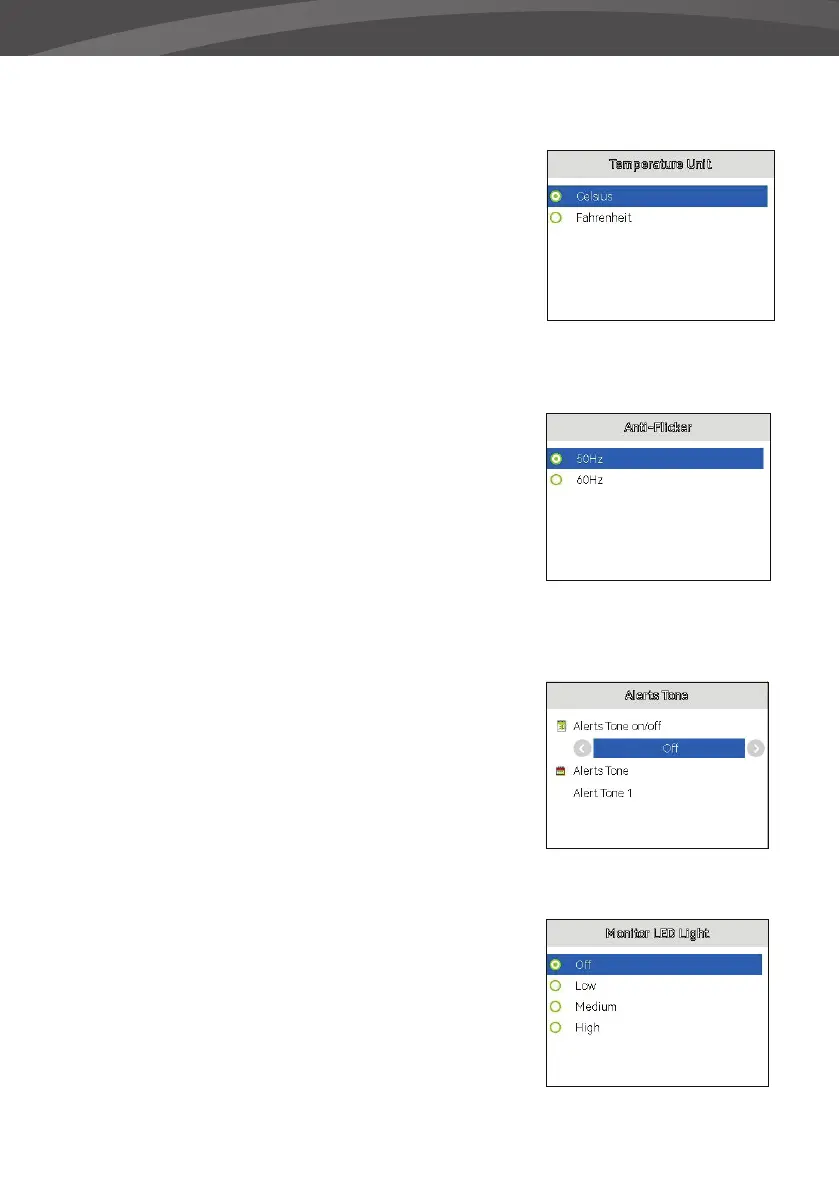
TEMPERATURE UNIT
You can set the temperature unit of measure to Celcius
or Fahrenheit in this menu.
> Press up or down on the round button to select the
desired temperature unit of measure.
> Press the OK button to con rm, or press the Back
button to return to the previous menu.
ANTIFLICKER
In this submenu you can adjust the frame rate to
prevent stripes, discoloration or ickering.
> Use the round button to make the selection,
choose between 50Hz and 60Hz.
> Then press the OK button to con rm the selection
or press the back button to return to the previous
menu.
ALERTS TONE
In this submenu you can switch the warning tone on or
o and set it.
> Use the round button to make the selection.
> Then press the OK button to con rm the selection
or press the back button to return to the previous
menu.
MONITOR LED LIGHT
In this submenu you can adjust the brightness of the
LED lights on the monitor or turn o the LED lights
completely. You have the choice between turning the
lights o and 3 di erent brightness levels.
> Use the round button to make the selection.
> Then press the OK button to con rm the selection
or press the back button to return to the previous
menu.















 To Next Page