4
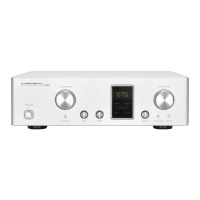
Names and Functions
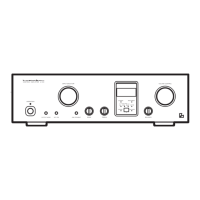
16 15 14 13 12 11 10 9 7817
654321
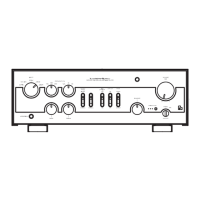
Front panel
1. Operation switch (OPERATION)
Toggles the power on and off.
When wiring or connection is performed, be sure to turn off
this switch. When turning on the power switch again after
turning the unit off, wait for more than one minute.
2. Input selector (INPUT)
Selects an input device from the devices such as a CD
player, an SACD player, a tuner, and an analog player
connected to each input terminal.
This selector has five positions consisting of LINE-1,
LINE-2, LINE-3, BAL LINE and EXT-IN that correspond to
each input terminal on the rear panel. To select an input
source, set the selector to the position of the input source
to be played back.
The EXT-IN is used for PHONO input.
3. Low frequency selector switch
(FREQUENCY/Hz)
Toggles to select frequencies from 150 Hz, 300 Hz, 600Hz.
For example, when 150 is selected, the frequencies of
150Hz and lower can be adjusted by the tone control for
bass.
4. High frequency selector switch
(FREQUENCY/Hz)
Toggles to select frequencies from 1.5 kHz, 3 kHz, 6 kHz.
For example, when 1.5 k is selected, the frequencies of
1.5kHz and higher can be adjusted by the tone control for
treble.
5. Pilot light
This switch turns on and off the power. When connecting
the input/output terminals, be sure to turn off this switch.
This light blinks during mute.
6. Volume control (VOLUME)
Adjusts the sound volume.
There are 34-step changes between ∞ and 0 (–dB).
Sound is not generated when this control is rotated
counterclockwise to the end. The sound volume gradually
becomes higher as the control is rotated clockwise.


 To Next Page
 Loading...