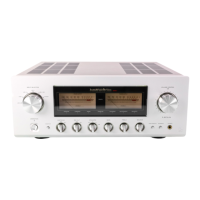
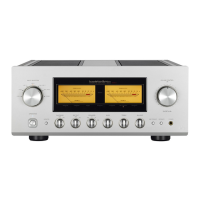
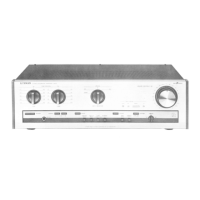
8. Headphone jack (PHONES)
Insert the headphone plug into this output jack. Even
when the plug is inserted, signals to the speaker
output terminal are not interrupted. Accordingly, to
listen to sound with only use of headphones, set the
speaker selector to off.
9. Separate switch (SEPARATE)
Separates the pre-amplier and main-amplier each
other.
Uses this unit as a normal pre-main
amplier.
Feeds external signals from the MAIN
IN terminal on the rear panel to the
main-amplier section.
When the separate switch is set to on, the volume control
of this unit cannot adjust the volume of the speakers
connected to this unit. Volume adjustment shall be
performed at the input device side such as the control
amplier connected to the MAIN IN terminal.
Entry of direct output into the MAIN IN terminal from a CD
player or other devices that cannot adjust sound volume
constantly provides a full power state and accordingly
results in the risk of speaker damage.
For such input devices, be sure to use a control amplier
equipped with the sound volume adjustment function as a
relay, generate sound through the speakers with volume
lowered, and adjust the volume to your favorite level.
When arranging the wiring, be sure to turn off the power
of this unit.
off:
(separate
indicator off)
on:
(separate
indicator on)
Every pressing of this switch toggles the separate
on and off.
The separate indicator lights
up when the separate
switch is on.
10.Line straight switch (LINE STRAIGHT)
Enhances the purity of the sound quality by passing
the balance control circuit, tone control circuit, or the like.
Line straight off/bypass off
Line straight on/bypass on
off:
(separate
indicator off)
on:
(separate
indicator on)
Every pressing of this switch toggles the line
straight on and off.
The
line straight indicator lights up when the line
straight switch is on.
When the line straight switch is set to on, the balance
control, tone control and loudness cannot be adjusted
and the mode selector does not function.
11.Balance control (BALANCE)
Adjusts the balance of sound volume between right
and left channels.
Rota
ting this switch counterclockwise causes the
left sound volume to be enhanced, and rotating the
switch clockwise causes the right sound volume to be
enhanced.
This
switch shall be set to the center position under
normal conditions, and rotated to make adjustment if
necessary.
When the line straight
switch is set to on, this switch
does not function.
12.Tone control for treble (TREBLE)
Controls the frequency characteristics in the high-
frequency range.
When
this switch is set to the center position, flat
frequency characteristic is obtained. Rotating
the switch clockwise causes the high-frequency
range to be enhanced, and rotating the switch
counterclockwise causes the high-frequency range to
be attenuated.
When
the line straight
switch is set to on, this switch
does not function.


 To Next Page
 Loading...