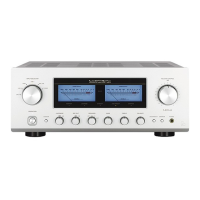
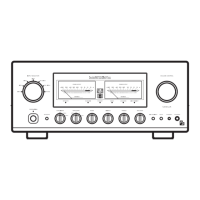
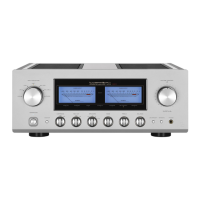
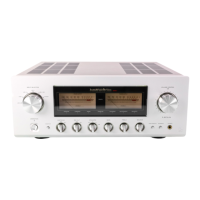
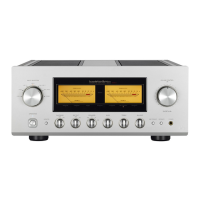
Names and Functions
13.Tone control for bass (BASS)
Controls the frequency characteristics in the low-
frequency range.
When
this switch is set to the center position, flat
frequency characteristic is obtained. Rotating
the switch clockwise causes the low-frequency
range to be enhanced, and rotating the switch
counterclockwise causes the low-frequency range to
be attenuated.
When
the line straight
switch is set to on, this switch
does not function.
14.Speaker selector (SPEAKERS)
Selects either of 2 speaker systems, A or B, located
at the rear panel.
16.Cartridge selector (CARTRIDGE)
Changes the gain level of the equalizer amplifier
(amplier circuit required to play an analog record).
17.Monitor switch (MONITOR)
Toggles between use and nonuse of the monitor
input terminals (MONITOR) on the rear panel.
Enables to reproduce the data from the
recorder.
Enables to reproduce the data from the
source selected with the input selector.
Selects an MC (moving coil) type cartridge
of low output voltage.
Be aware that the sound volume becomes
higher and unbalanced sound without
high frequencies is generated owing to the
impedance when “MC” is selected during
use of the MM type cartridge.
Selects an MM (moving magnet) type
cartridge of high output voltage.
MC:
MM:
off:
(monitor
indicator off)
on:
(monitor
indicator on)
Every pressing of this switch toggles the monitor
on and off.
The
monitor indicator lights up when the monitor
switch is on.
Activates only headphones. No sound is
generated from any speakers.
Selects the A system speaker terminal.
Selects the B system speaker terminal.
Simultaneously activates both A and B
system speakers. When both speaker
terminals are simultaneously used, select
speakers with impedance of 8 ohms or
more because both output terminals are
connected in parallel.
OFF:
A:
(center)
B:
A+B:
15.Recording switch (REC OUT)
Sends recording signals to the recorder connected to
this unit.
Does not send recording signals to the
recorder output terminals on the rear panel.
When not using the recorder, set the
recording switch to this position.
Selects an input source to be recorded
with the input selector and sends recording
signals to the recorder connected the
recorder output terminals of this unit.
OFF:
ON:


 To Next Page
 Loading...