42
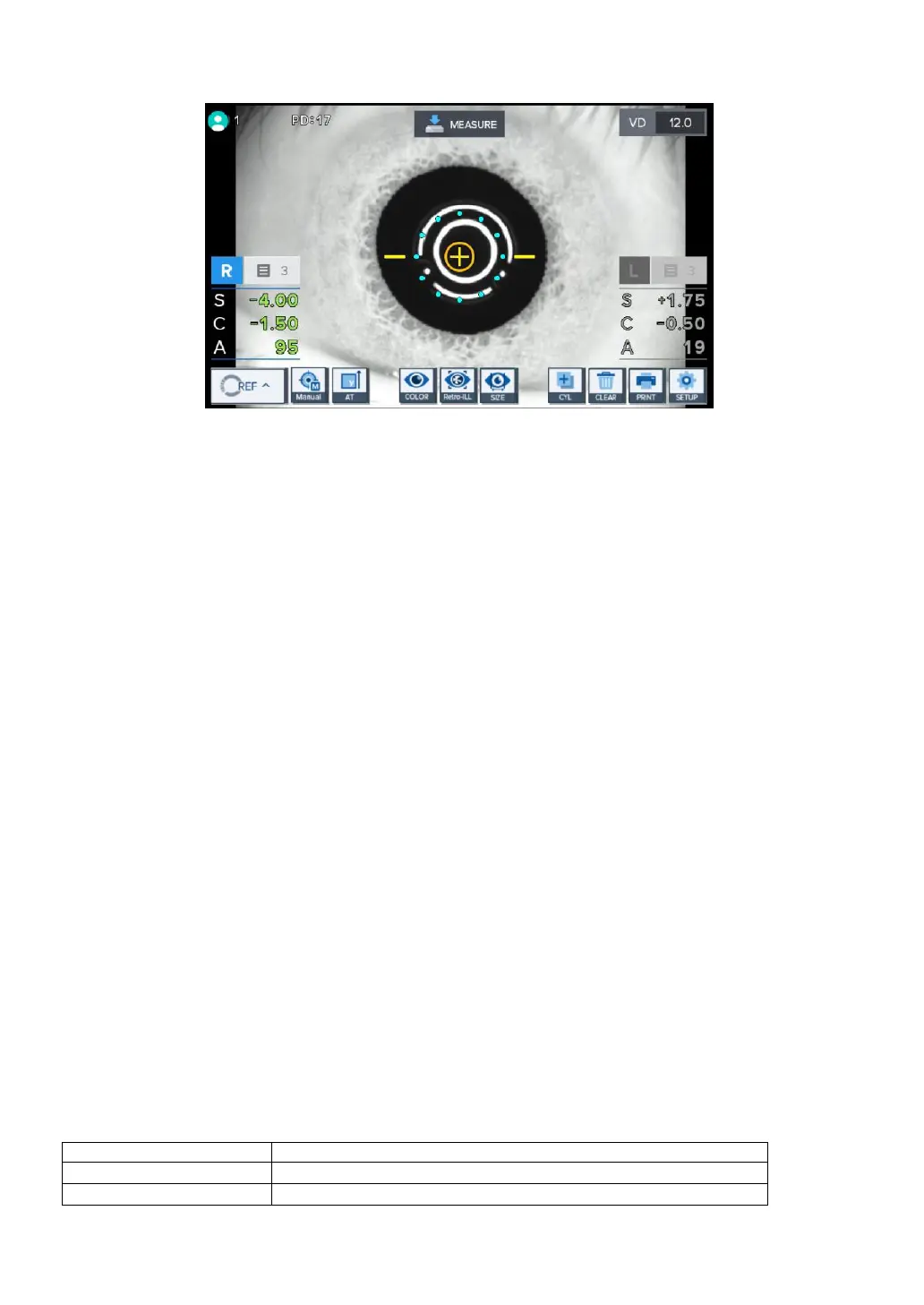
[REF automatic measurement mode indicator screen]
③ Measurement of the other eye.
- Move the stage to the right side to measure the left eye using the same procedure.
- When the measurement of the two eyes is complete, PD value is indicated on the monitor screen
automatically.
④ Printing
- Measurement result gets printed automatically when the measurement of the two eyes gets
completed when the A-PRT category was selected as “ON” while in the user Setup mode.
- Print by pressing on the print button when only one eye was measured or when the A-PRT
category
was selected as “OFF”.
- Gets printed along with the message input while in the user Setup mode with the measurement
data.
8.1.3. Message List


 To Next Page
 Loading...