26
6.Equipment installation and preparation
for measurement
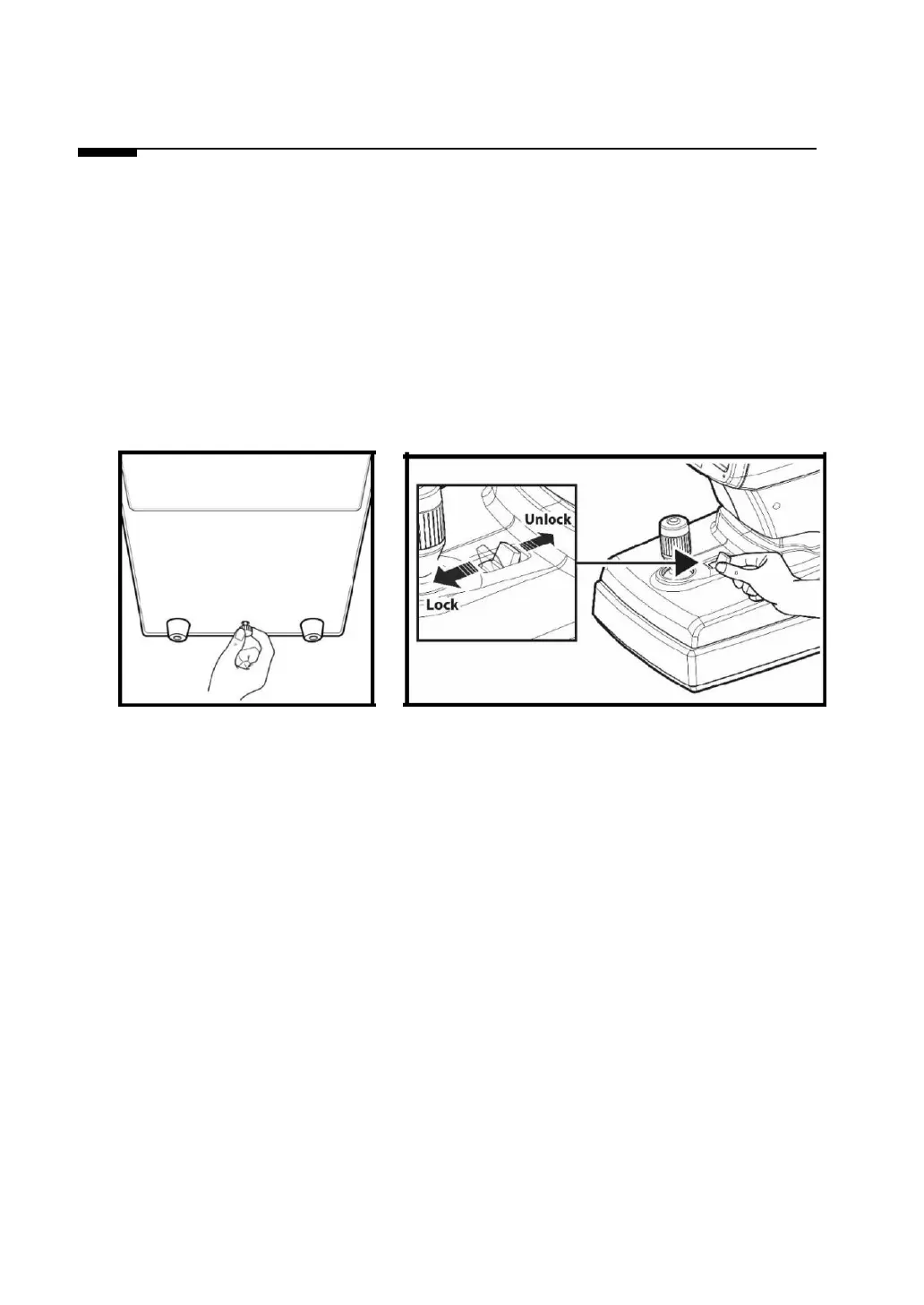
1. Unlocking stage part’s lock 1 (Clamping bolt)
Loosen up the ‘Clamping bolt’ that is at the backside of this device’s lower part by turning it to the
counter clock-wise direction, and convert the stage fixation lever that is at the joystick’s backside into
the UNLOCK direction.
[Unlocking stage part’s lock1] [Stage fixation lever]
(Clamping bolt)
2. Unlocking stage part’s lock 2 (Body locks)
- As shown in the figure, the stage is forced to the right.
- Turn the body lock clockwise until it stops.
- Lock the body lock in the same way on the left.


 To Next Page
 Loading...