12
Let's take a look at
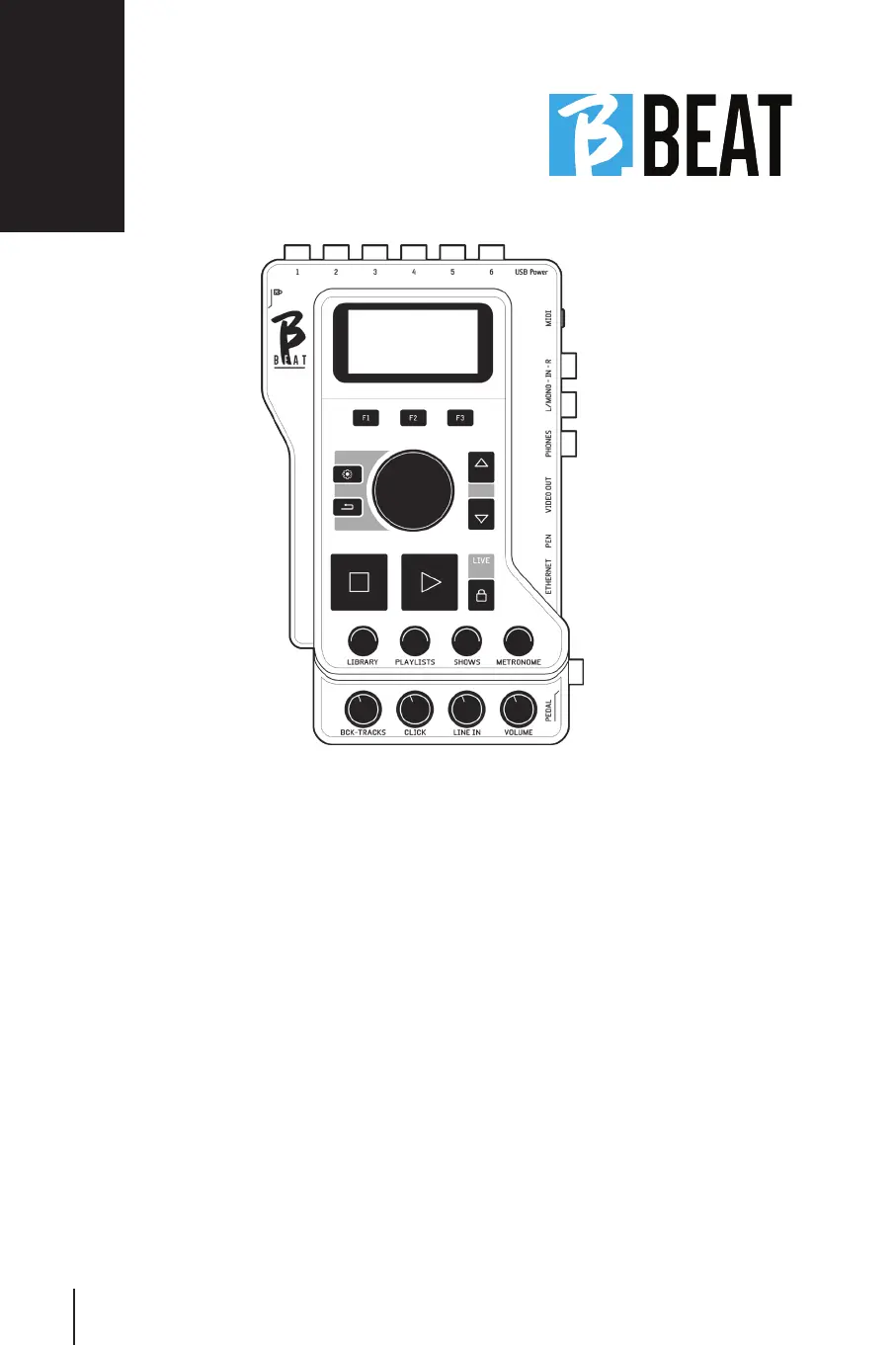
Function keys:Function keys: F1 - F2 - F3 time by time
are assigned to different functions, de-
pending on the screens. Function descrip-
tions are in the lower boxes of the display.
UP – DOWN: UP – DOWN: generically serve to scroll
through lists on the display, to change
the position of the active cursor, or to in-
crease/decrease a selected value.
SYSTEM key:SYSTEM key: to access the System menu
BACK key:BACK key: go back one Alpha Dial level -
Enter: The Alpha dial is used to remove a
list on Display, to change a value (e.g., the
volume of a track). Pressed in the center
provides ENTER consent.
STOP:STOP: pressed once stops the playback of
the current Song/Video in the pause posi-
tion. Pressed the second time sends the
current song/video to the top. Pressed
the third time empties the Ram memory
of B.Beat. B.Beat can load Audio Backing
Tracks synchronized to video, or audio and
video unsynchronized and independent. In
this case, the Play and Stop buttons will
relate to music and pictures independent-
ly. You can select Video or Audio with the
F2 key from the Player screen.
PLAY:PLAY: the Play key starts the Audio Back-
ing Tracks (if we are positioned on AUDIO
or the Video if we are positioned on Vid-
eo). When the player is paused, press Play
again to restart it.
Front panel



 To Next Page