24
3.MENU (F3)3.MENU (F3) offers two options:
a.Edit tracks
b.Level Meters
EDIT TRACKSEDIT TRACKS
Editing of tracks and mixes on the
DAW is recommended to be completed. In
any case B.Beat and especially the B.Beat
manager software allow some interven-
tions for the purpose of improving perfor-
mance. These interventions can be done
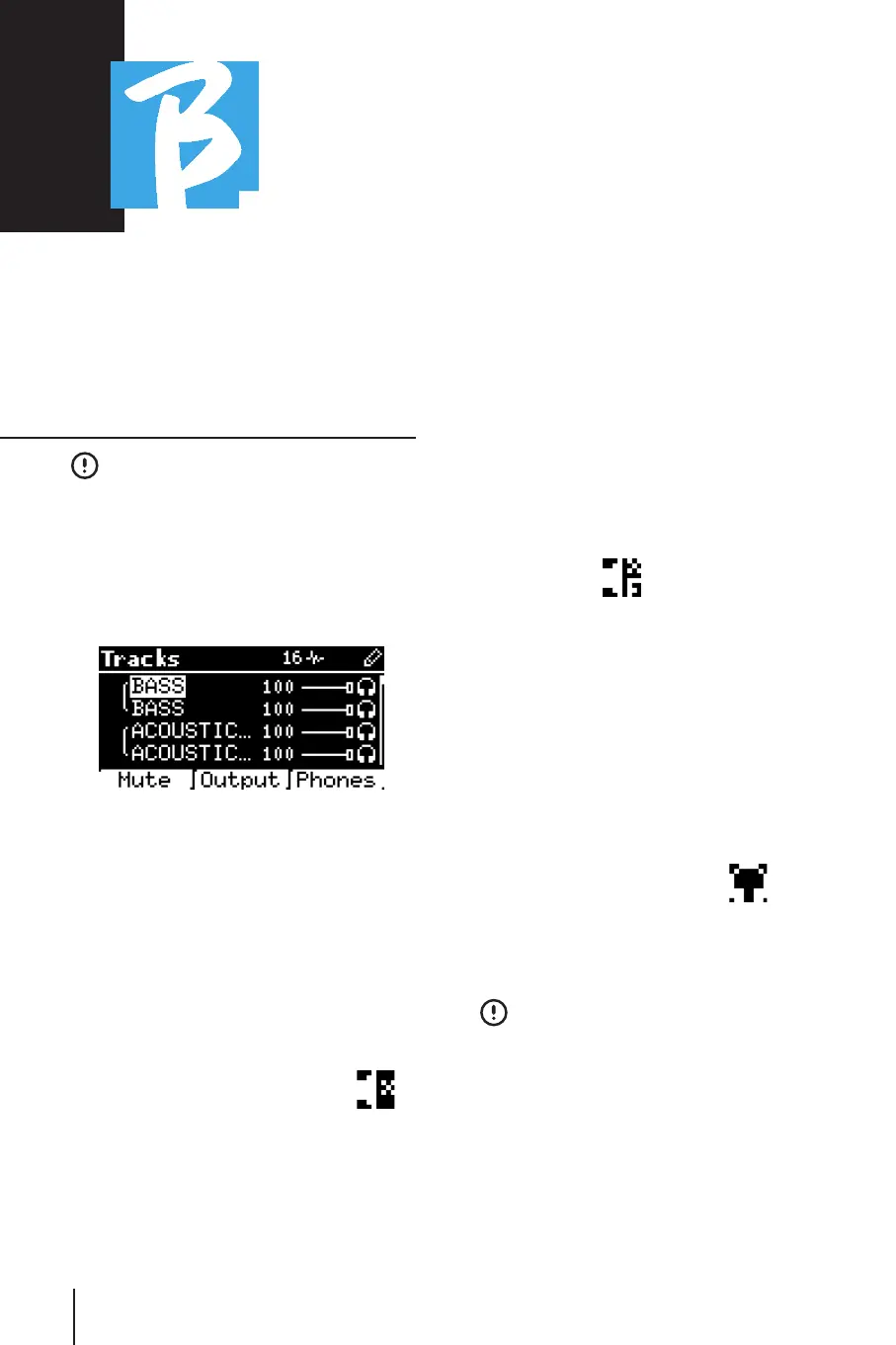
from the Edit Tracks page:
From this screen you can select a track
(press Up or Down keys to move along
tracks) and make changes as follows:
• Mute a track:• Mute a track:
select the track with Up and Down
-> press [F1] Mute.
Press F1 again if you want to Unmute.
The Mute icon appears on the left:
The Family Mute: on B.Beat it is possible
to set Instrument Families. This option
is managed from B.Beat Manager - see
specific guide. For example, we can set
various instrument families (keyboards,
bass, percussion etc.) and assign them
to the specific family. In this way we can
define a Mute relative to the specific fam-
ily, from B.Beat manager. By activating the
Mute mode of a family all tracks belong-
ing to the specific family will always be
muted, for all Audio projects uploaded to
B.Beat. If we want to exclude the Fam-
ily Mute from a specific project, we can
always do so from the Mute function on
Edit Tracks. This icon appears next to the
track name when an instrument family is
in Mute mode:
Family Mute can only be used on Backing
Tracks that have separate tracks. For ex-
ample, on the MTA files that can be down-
loaded from the website www.songser-www.songser-
vice.itvice.it
• Send the track to the Headphone output:• Send the track to the Headphone output:
select the track with Up and Down
-> press [F3] Phone.
The icon appears on the right
Press F3 again if you want to exclude the
track from the Headphone output.
The headphone output will be adjust-
ed via the BCK-TRACKS potentiometer.
• Adjust the volume of a track:• Adjust the volume of a track:
select the track with Up and Down
-> turn the Alpha Dial to turn down/up the
volume. The value is indicated in graphics
and by a number from 0 to 100.



 To Next Page