26
SELECT A PLAYLISTSELECT A PLAYLIST
Press [PLAYLISTS] the list of Playlists
stored in memory appears.
Turn [ALPHA DIAL] or [up and down] to se-
lect
Press F3 [LOAD] to load the Playlist into
memory. Now it is ready to play. Alterna-
tively, you can press PLAY and the Playlist
will start immediately.
If the Player is playing an audio or vid-
eo a confirmation screen will appear be-
fore loading the memory and stopping the
current playback.
NEXT SONGNEXT SONG
The title of the Song next to the one in
Play appears when a Playlist is playing in
the "NEXT" field. Pressing the F1 "Skip"
key allows you to skip the next Song and
move on to the next one. When you press
skip, a window appears asking you to con-
firm your choice. Basically, when a Play-
list is played, you can decide, even while
the Playlist is playing, to change the Song
lineup.
AUTO PLAYAUTO PLAY
System menu > Options > Auto Play: If
you select the Auto Play "ON" function at
the end of one Song the next one will start
immediately. Conversely, the next song
starts only by pressing the Play button or
the Start Stop pedal if connected.
PLAYLIST > [ENTER] EDITPLAYLIST > [ENTER] EDIT
B.Beat allows editing a Playlist. To edit:
Press [PLAYLISTS] Turn [Alpha Dial] or [Up
Down] to select the Playlist you want to
edit.
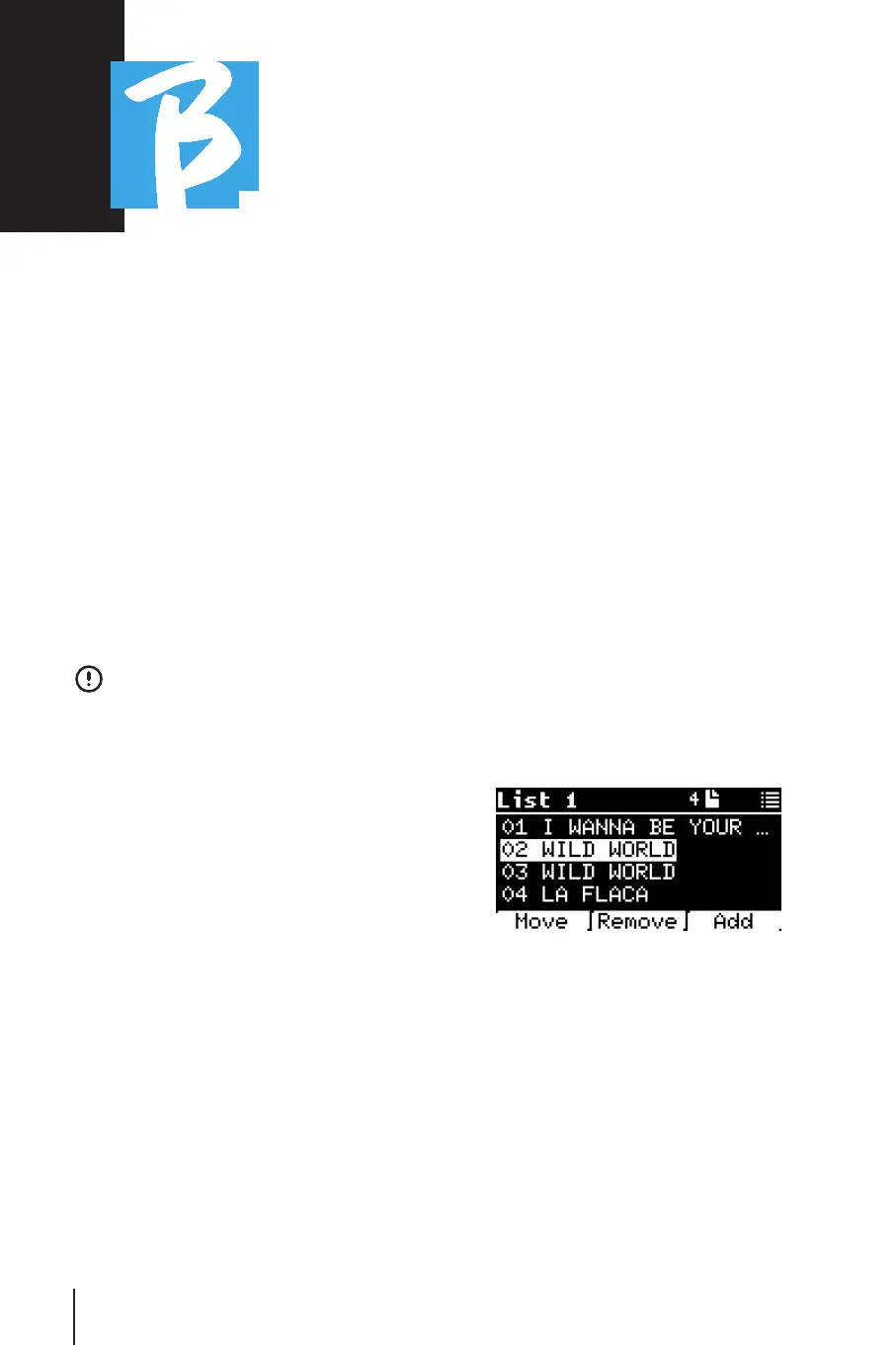
Press ENTER on alpha dial to enter the fol-
lowing screen:
Three options appear: More, Remove, Add.
To move a Song from its position: To move a Song from its position:
Press F1 [MOVE] turn [ALPHA] or [Up
Down] to move
Press F1 [CANCEL] to exit or F3 [OK] to
confirm.
To delete a Song from the Playlist: To delete a Song from the Playlist:
Turn [ALPHA] or [Up Down] to select the
Song to be deleted
Press F2 [Remove]



 To Next Page