37
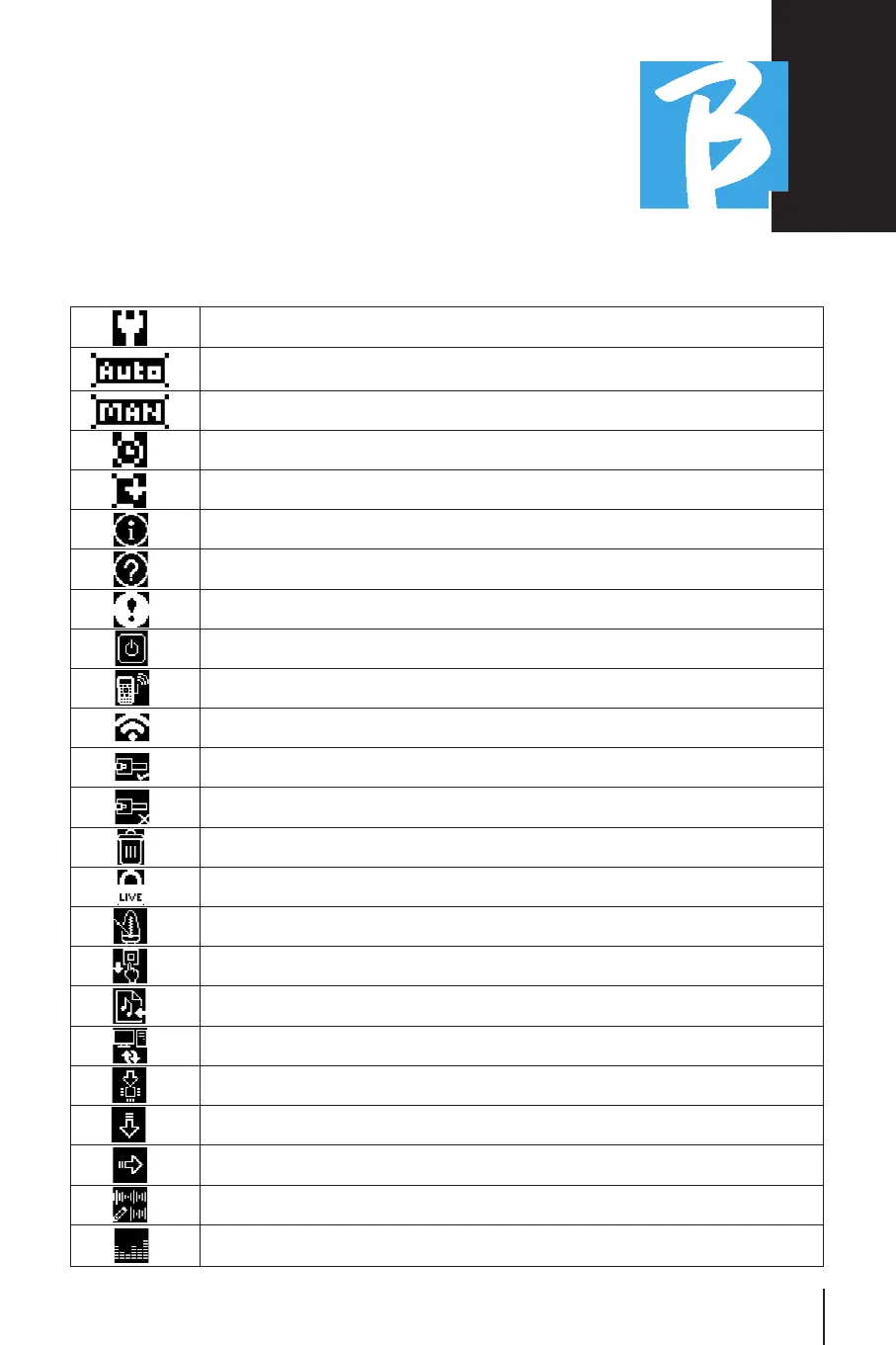
Display IconsDisplay Icons
Options menu
Autoplay of Next (applies to single projects, playlists)
Starting Next is manual (press play or foot pedal)
Starting Next is automatic after a certain time (Show)
The scene is in Loop mode (repeats).
Information notification
Request for action or confirmation
Warning
Request for shutdown
Hotspot information
Wi-Fi information
Ethernet Information - Cable connected
Ethernet Information - Cable not connected
Delete item
Live mode confirmation
Metronome configuration
Metronome Configuration - Tap
Import audio files from USB
File Transfer (B.Beat Manager) enabled
System update or DSP
Load item into memory
Load item as NEXT
Edit Tracks of a Project
View Vu meters



 To Next Page