www.m2tech.biz
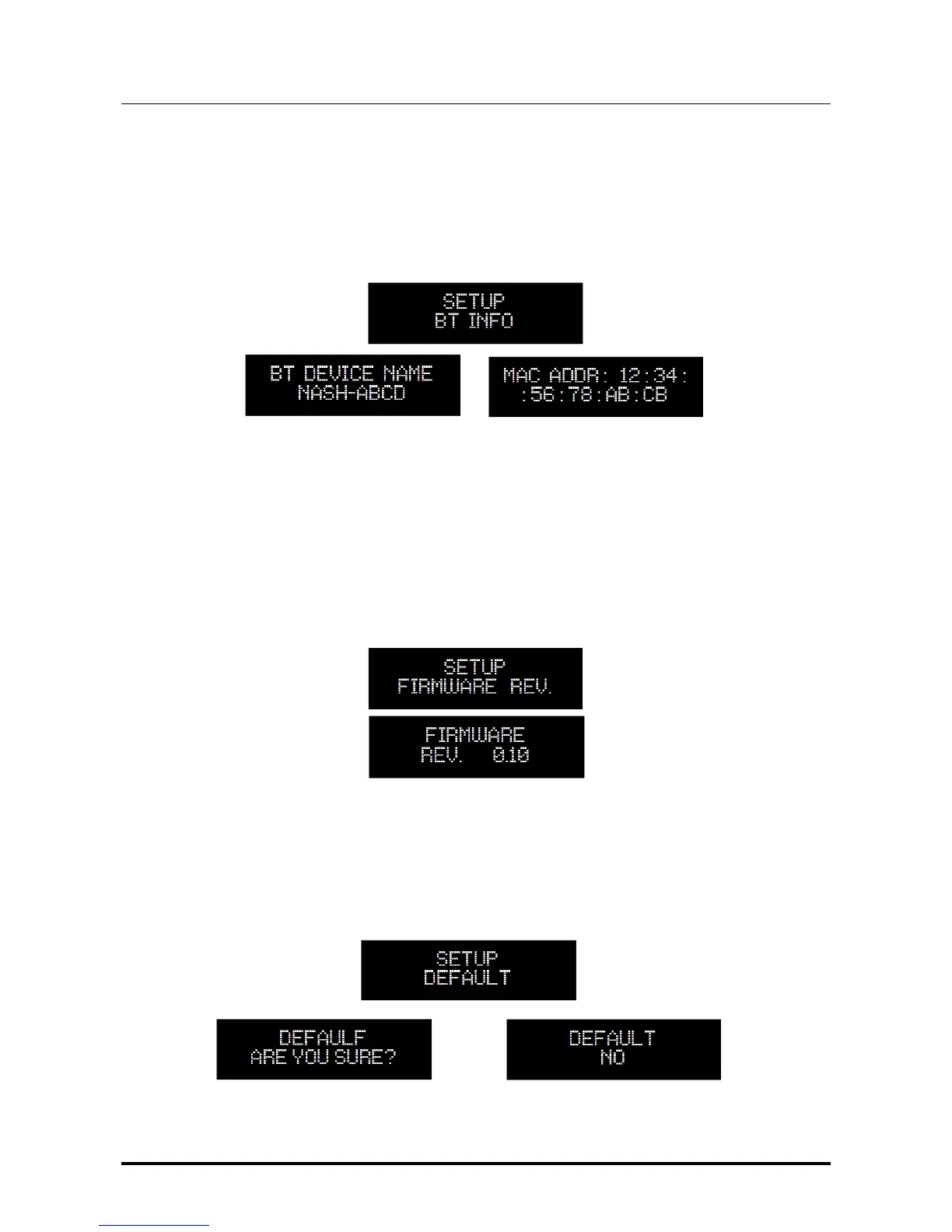
7.2.11. BT INFO: Accessing Bluetooth
®
LE Interface Information
It may be useful to know certain information about the NASH Bluetooth
®
LE interface.
The Bluetooth
®
LE interface can be used to recognize the NASH in the list of accessible
Bluetooth
®
LE devices in your smartphone.
Please note that in the real world the 4 letter “ABCD” are replaced by a unique value for
your NASH.
7.2.12. FIRMWARE REVISION: Accessing Firmware Revision Information
All NASH features are handled by a microcontroller. It may be useful to check the version of
the firmware executed by the microcontroller, using this menu feature.
7.2.13. DEFAULT: Restoring Factory Settings
User may need or want to restore the factory settings. This can be achieved by accessing
this menu item. Please note that all previous settings will be lost.


 To Next Page