www.m2tech.biz
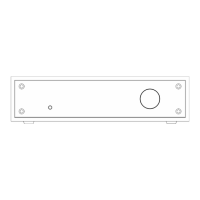
2. Front Panel
Figure 1
1) Power on/power off/menu exit button. Press this button to switch the NASH on when
it’s off. When the menu is active, a short press will cause the menu to exit discarding any
configuration change. A more prolonged press while the NASH is on will cause it to switch
off.
2) Standby LED. When the NASH is in standby mode, this LED blinks to indicate to the user
that the device can be switched on by the included remote control. This LED is steadily lit
during the firmware update procedure.
3) IR receiver. Aim the remote control to this point to send commands to the NASH.
4) Display. Multifunction OLED display. During normal operation, it indicates the selected
source, the gain of MM stage and the status of high-pass filter. When the menu is
accessed, the display shows the selected menu item and its current value.
5) Encoder. It allows for accessing and navigating the menu and selecting inputs. It can
be rotated and pushed. Please refer to Chapter 7 for more details.


 To Next Page