21
User Manual M3 Orange
Using the Stylus
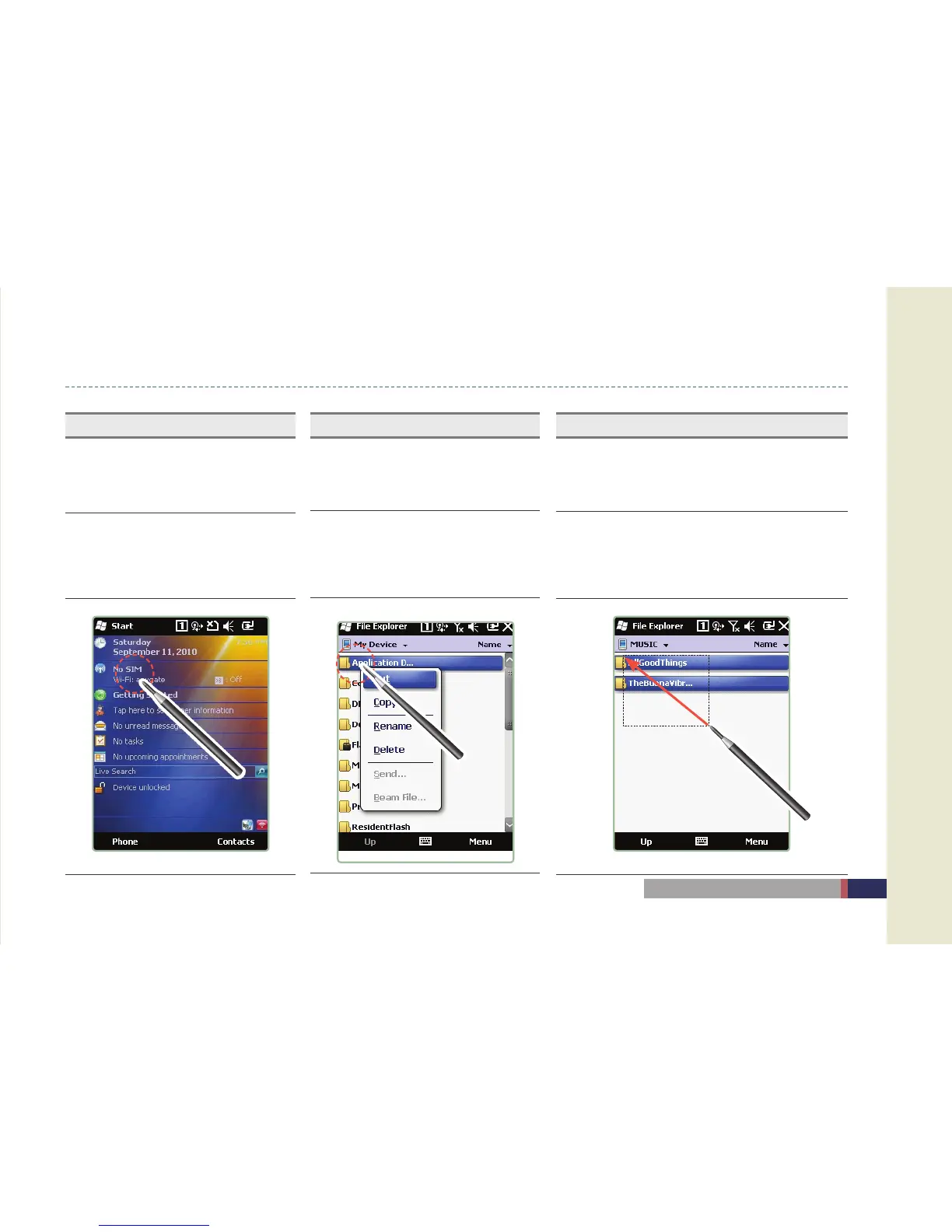
Click
Item selection / Click
Click the item once to select or execute
Drag
Select a group or move icons like
dragging a mouse in PC
Drag the cursor to the desired position while pressing
the touch screen.
(In case of excuting the scroll bar, drag function will not
be excuted.)
Long Press
Press the stylus pen without releasing, and
select the menu. (Copy, Cut, Paste)
Press and hold the stylus on the touch
screen. This function is frequently used for
file copy, cut, and paste functions, or to use
the keyboard.


 To Next Page