22
M3 Orange User Manual
Transcriber / Keyboard
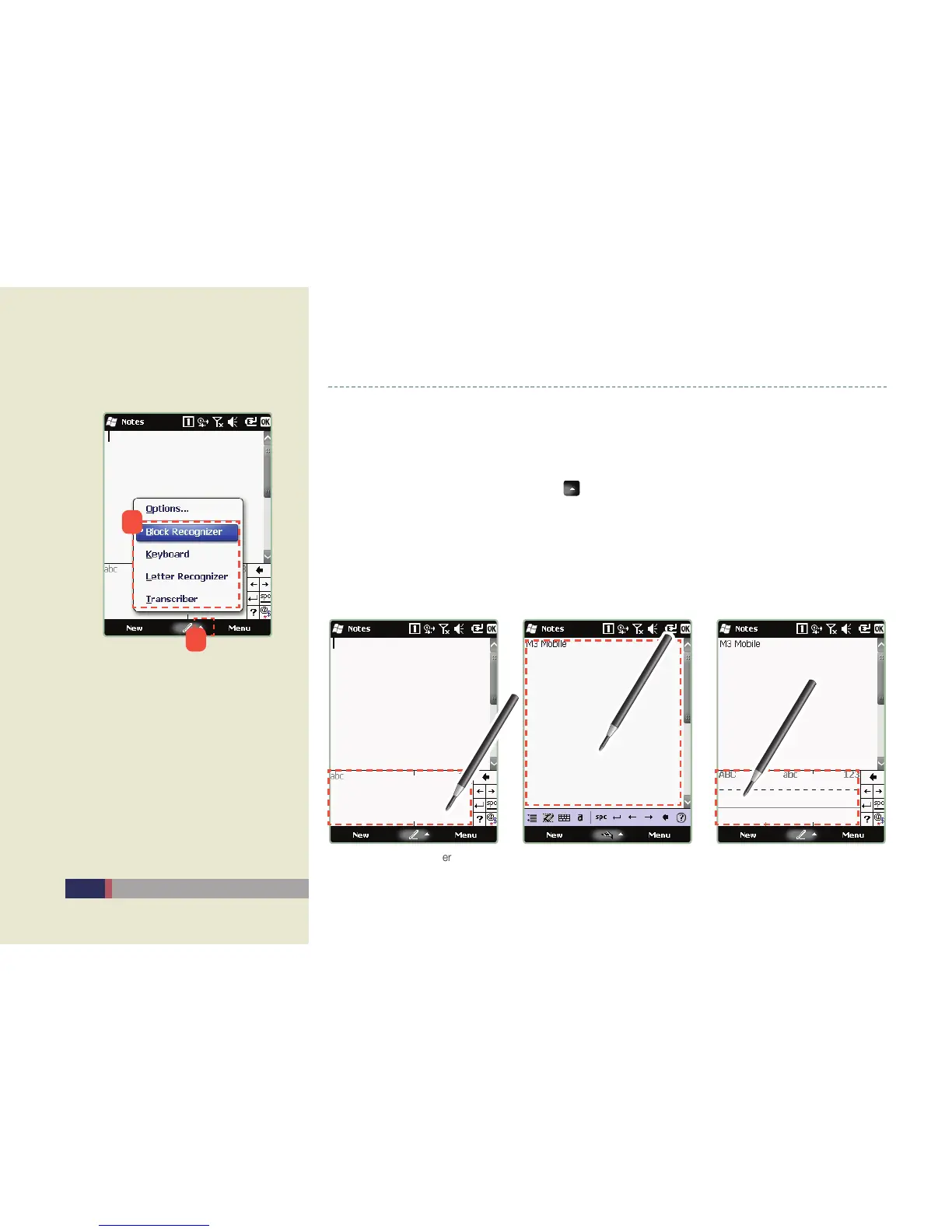
Transcriber (Block Recognizer, Transcriber, Letter Recognizer)
This program recognizes handwriting and automatically converts it into computer text •
when you write text using the stylus pen when entering text for documents or settings.
Select the input method by clicking •
icon at the bottom of screen.
Block/Letter Recognizer : In the input mode screen, you can enter the text in ‘abc’ section, -
and enter the number in ‘123’ section on the screen.
Transcriber : When you enter the letter, number, symbol with stylus, this program -
automatically writes where the cursor is positioned. You don’t have to care about the input
section.
Screen for selecting Transcriber
Block Recognizer Transcriber Letter Recognizer
1
2


 To Next Page