28
M3 Orange User Manual
Inserting and Removing Micro SD Card
Inserting Micro SD Card
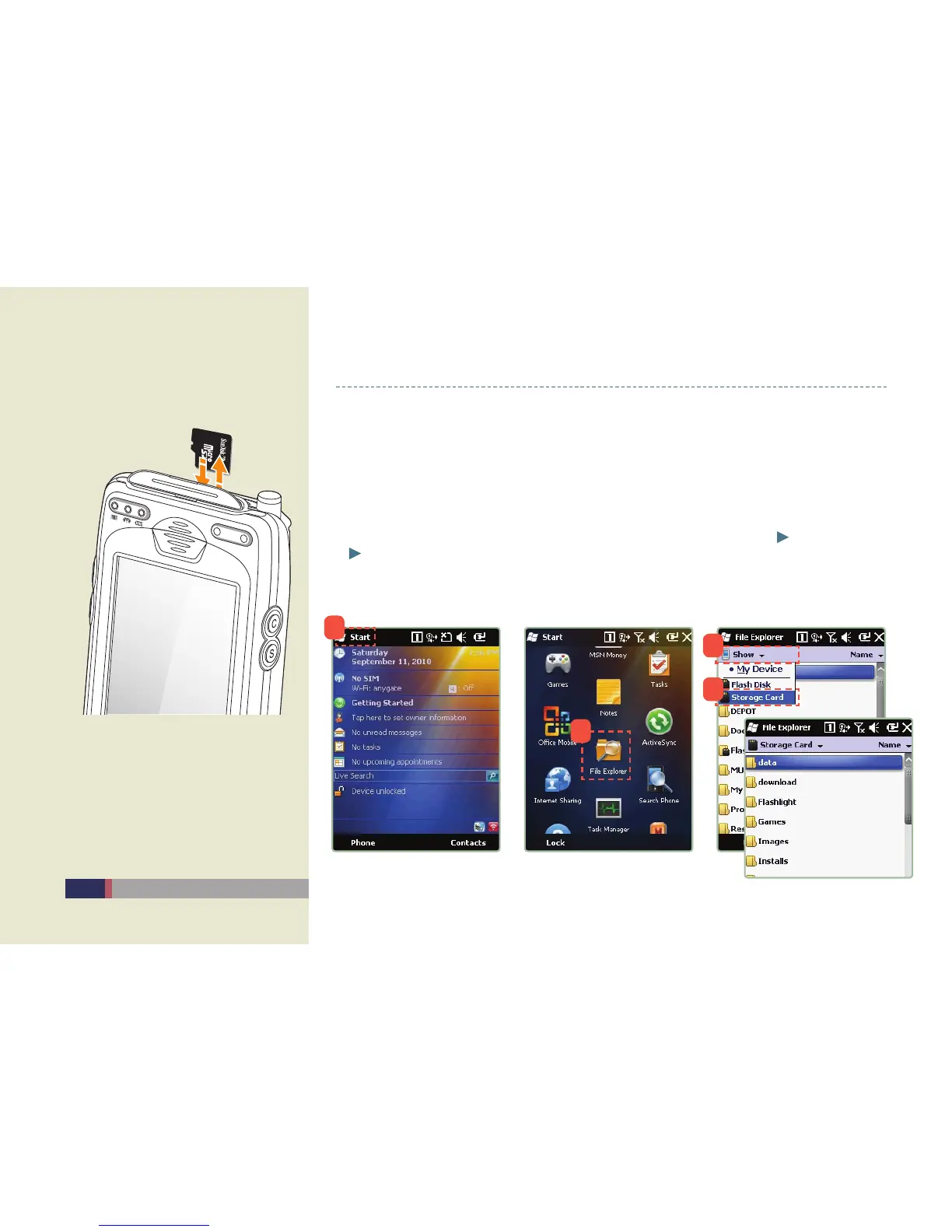
Open the memory card cover on the top of the main unit.•
After inserting Micro SD Card as shown in the picture, cover it.•
Micro SD Card Usage
Once inserting Micro SD Card, • [Storage Card] icon appears in [Start] [File Explorer]
[Show] as below.
Click • [Storage Card] icon and check the contents in Micro SD Card.
(Refer to the progress below.)
Inserting the Memory card
1
2
3
4


 To Next Page