13
User Manual M3 Orange
Inserting and Removing the Battery
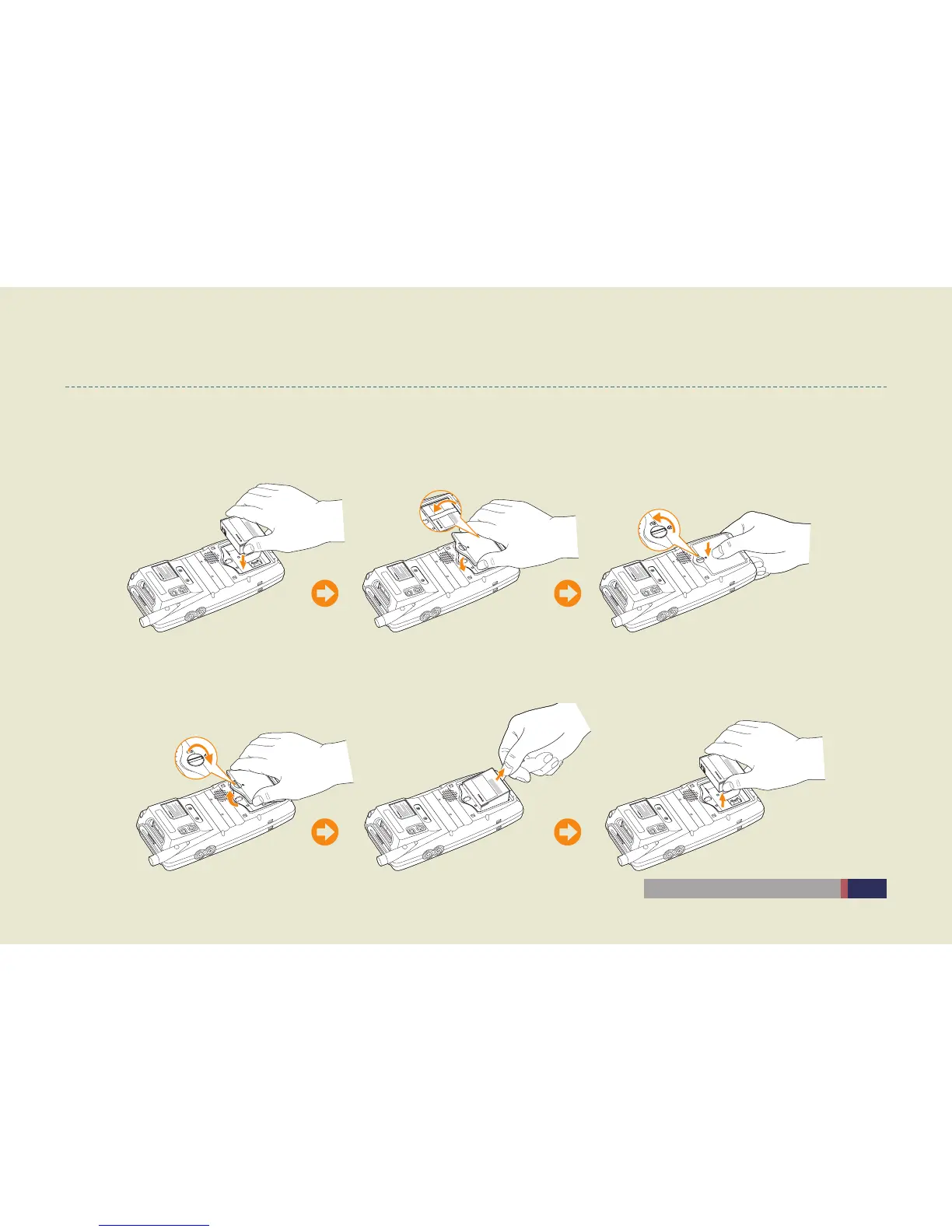
Inserting Battery
Insert the battery to the battery pack position, and then cover the ribbon. After putting the battery cover, tighten a screw in a •
counterclockwise direction.
Removing Battery
Loosen a screw in a clockwise direction, and remove the battery cover. After removing the battery cover, pull out the battery by •
drawing the ribbon.



 To Next Page