31
User Manual M3 Orange
Using Mobile phone
Making a call
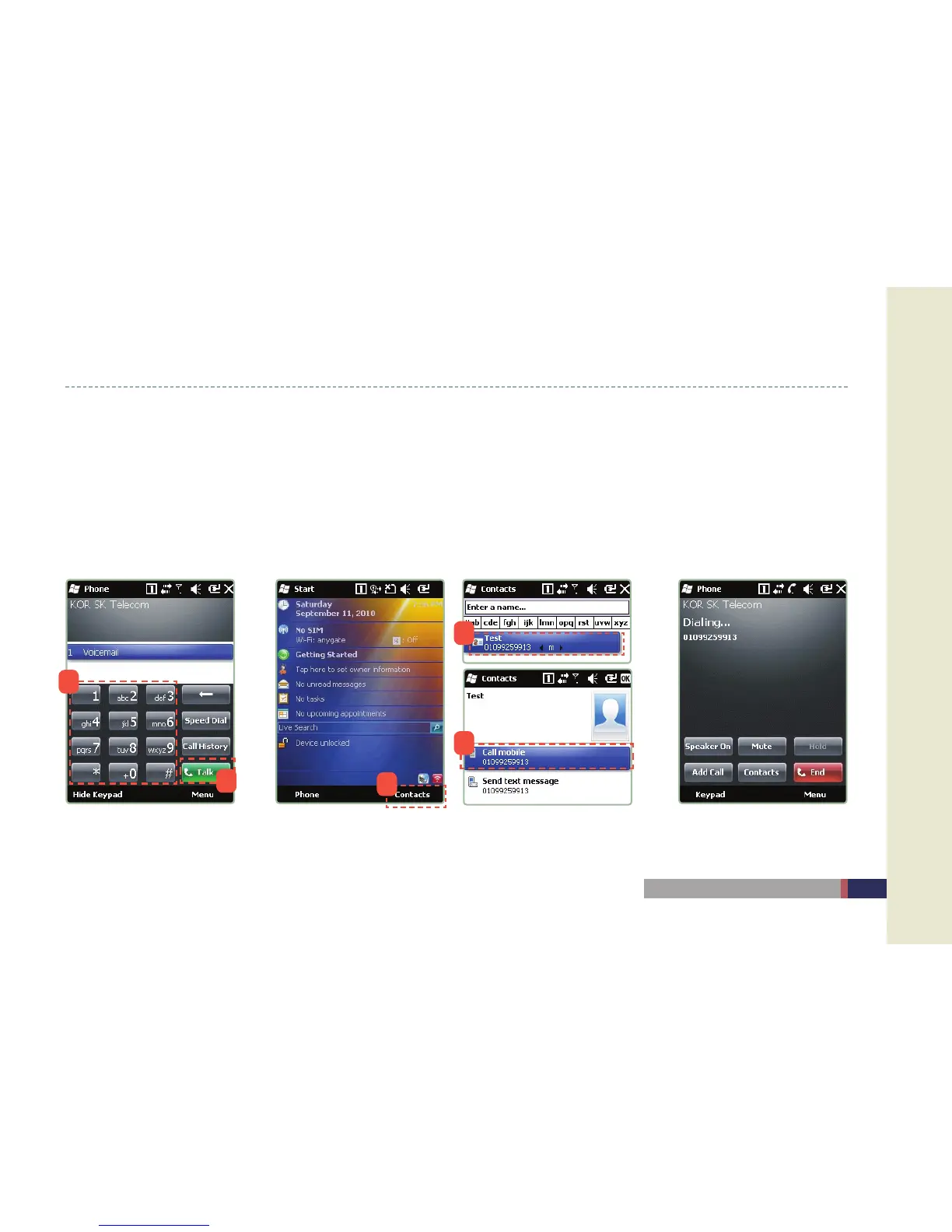
Enter the phone number with keypad in the main screen and press the ‘Call’ button.•
Make a call by choosing the phone number in the Contact list, receiver / caller list, SMS list.•
When the phone number is registered as the shortcut key, you can make a call with the shortcut key by pressing long the •
corresponding number.
Make a call with the recent list by pressing long the button of ear-microphone.•
Make a call by dialing Make a call by searching the
contact list
Screen of dialing
1
2
1
2
3


 To Next Page