30
M3 Orange User Manual
Using Mobile phone
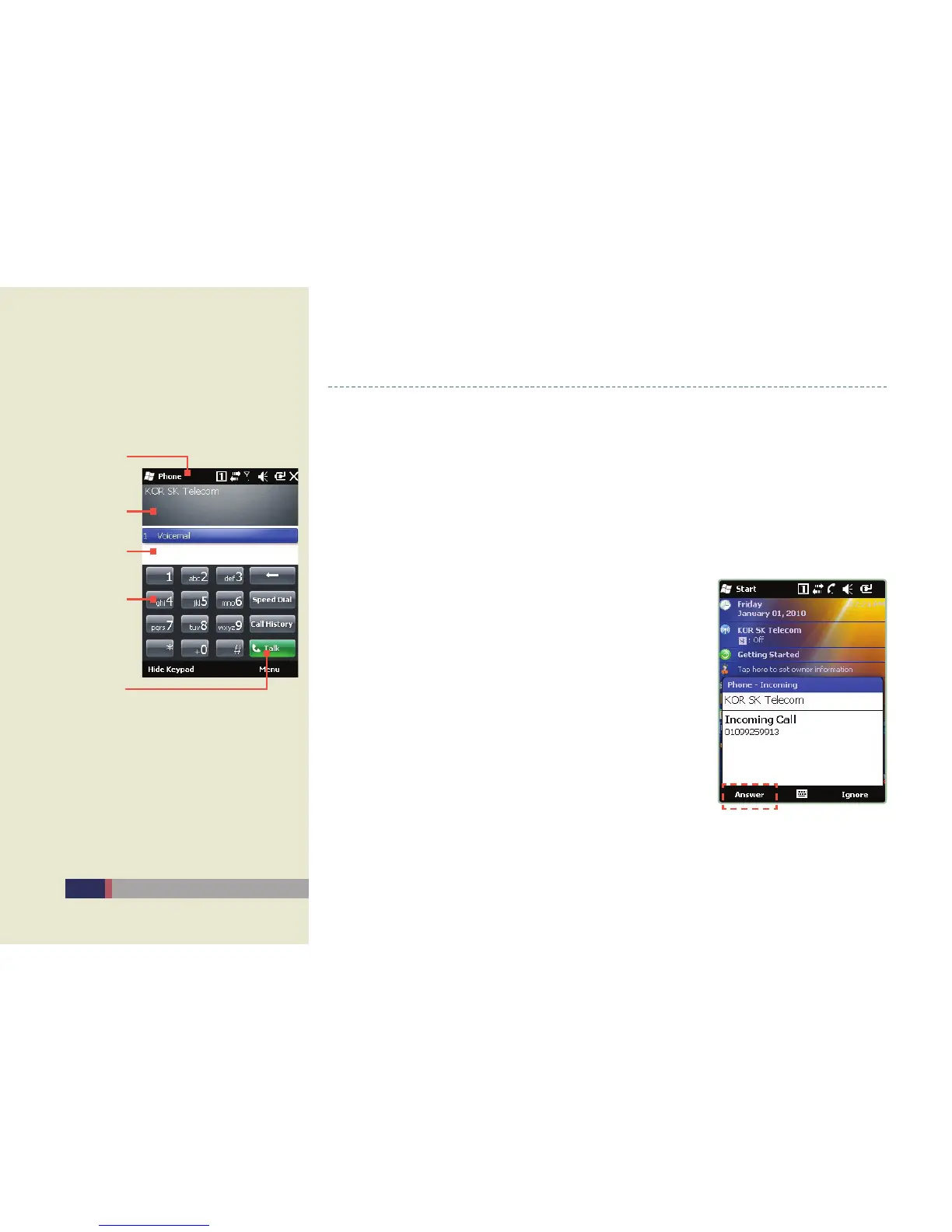
Status bar
Status indi-
cated screen
Number key
Recent list
Call key
On / Off
Turning on•
Press the end button for 5 sec. when the phone is off. -
The phone turns on with the initialization sound. -
Turning off•
Press the end button for 5 sec. when the phone is on. -
Answering the phone
Select ‘Answering phone’ in the screen of incoming calls •
and make calls.
Select ear-microphone button in the screen of incoming •
calls and make calls.
When choosing the mute mode in the screen of incoming •
calss, the screen keeps appeaing but there is no sound.
Screen for incoming calls
Main screen


 To Next Page